GENOA TELEPSYCHIATRY

Streamlining Provider Evaluation

Redesigning the provider evaluation workflow to reduce cognitive load, eliminate repetitive data entry, and save time for Talent Sourcers.

Overview

Genoa Telepsychiatry connects providers with clinics in underserved areas. A key step in this process is evaluating and shortlisting providers through an Intro Call.

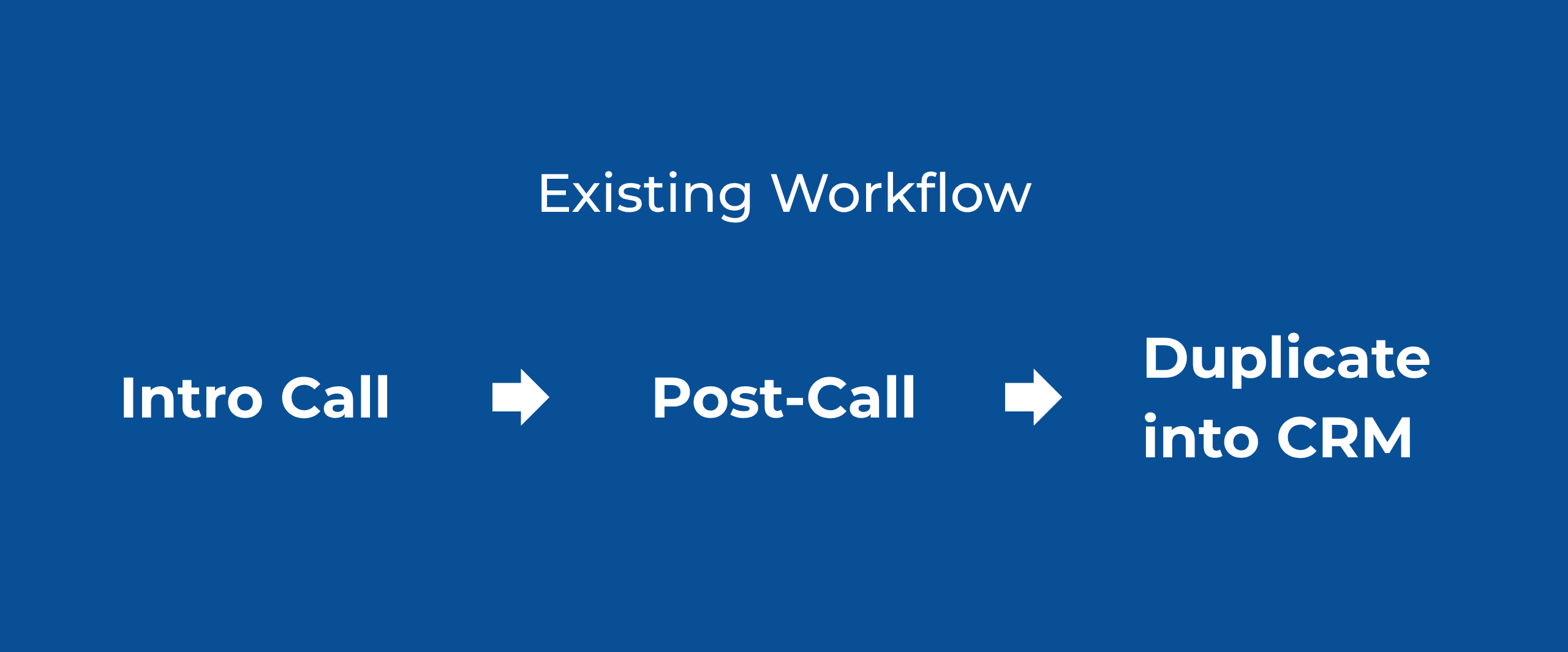
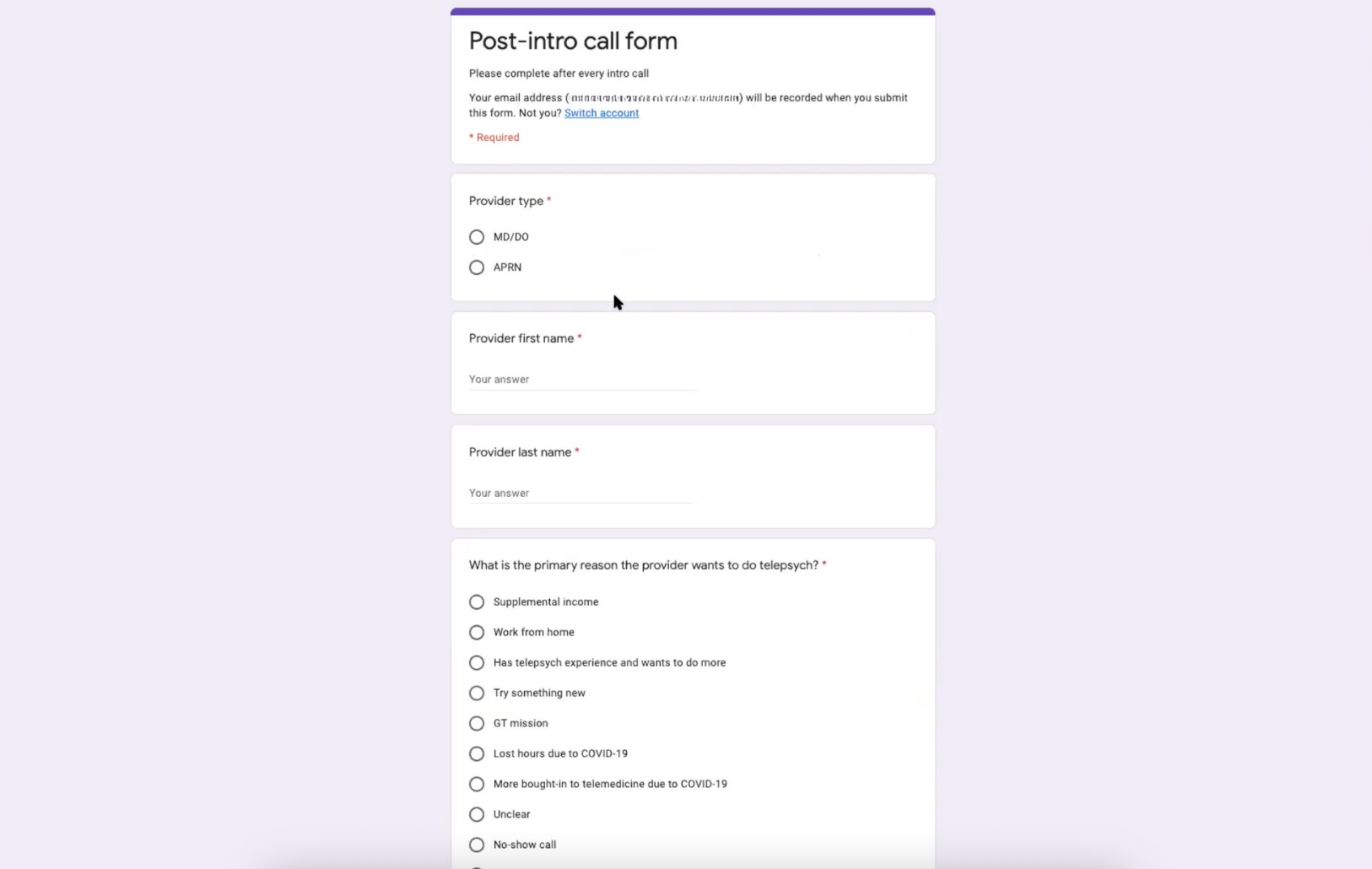
The existing evaluation process required Talent Sourcers to complete both an Intro Call and a Post-Call evaluation before manually transferring the collected information into the CRM.

I designed a structured evaluation tool that brought the interview, notes, evaluation, autosaving, and CRM workflow into a more connected experience.
ROLE:
UI/UX Designer
SCOPE:
Research, workflow analysis, requirements gathering, information architecture, Job Stories, interaction design, wireframing, and UI design.

Users & Context

The primary users were Talent Sourcers, a small and specialised team responsible for evaluating and shortlisting providers.

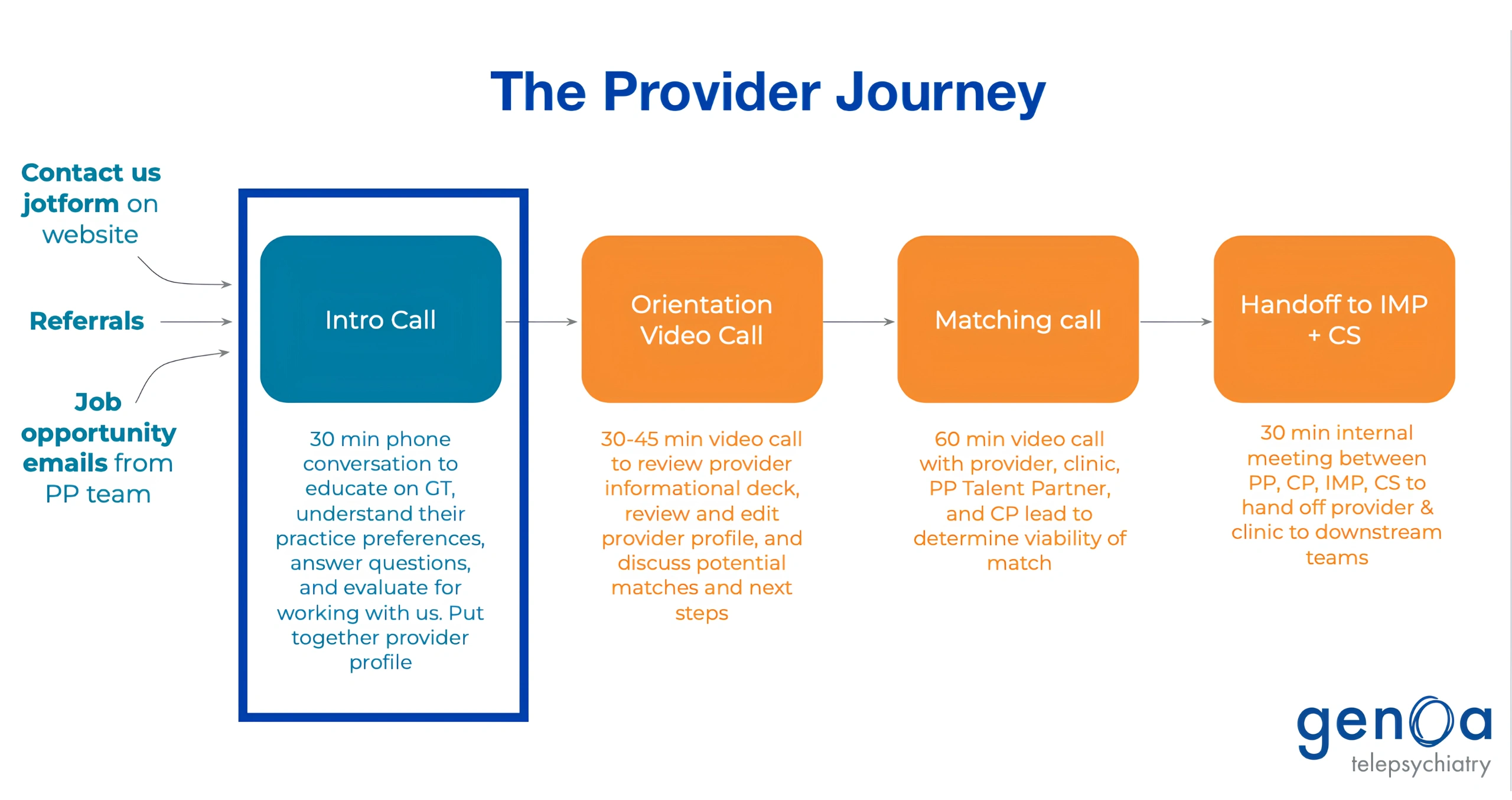
The Talent Sourcer owned the early stages of the provider journey, from sourcing and initial outreach through the Intro Call. The Intro Call was a key evaluation point before a provider progressed through the subsequent stages of the matching process.

Their workflow involved conducting live Intro Calls, gathering information about each provider, assessing responses against defined criteria, and completing a Post-Call evaluation.
The Intro Call sits within a larger provider-matching workflow owned by the Talent Sourcer team.

Problem

The evaluation process created a significant amount of administrative work around an already demanding live conversation.
During an Intro Call, Talent Sourcers had to:
  • Conduct the live conversation
  • Navigate a structured set of questions
  • Capture information across multiple sections
  • Evaluate the provider against defined criteria
  • Complete the Post-Call process
  • Manually transfer the collected information into CRM
The problem wasn't simply that there were too many steps. Talent Sourcers were managing conversation, information capture, evaluation, and administrative work simultaneously.

Existing Workflow

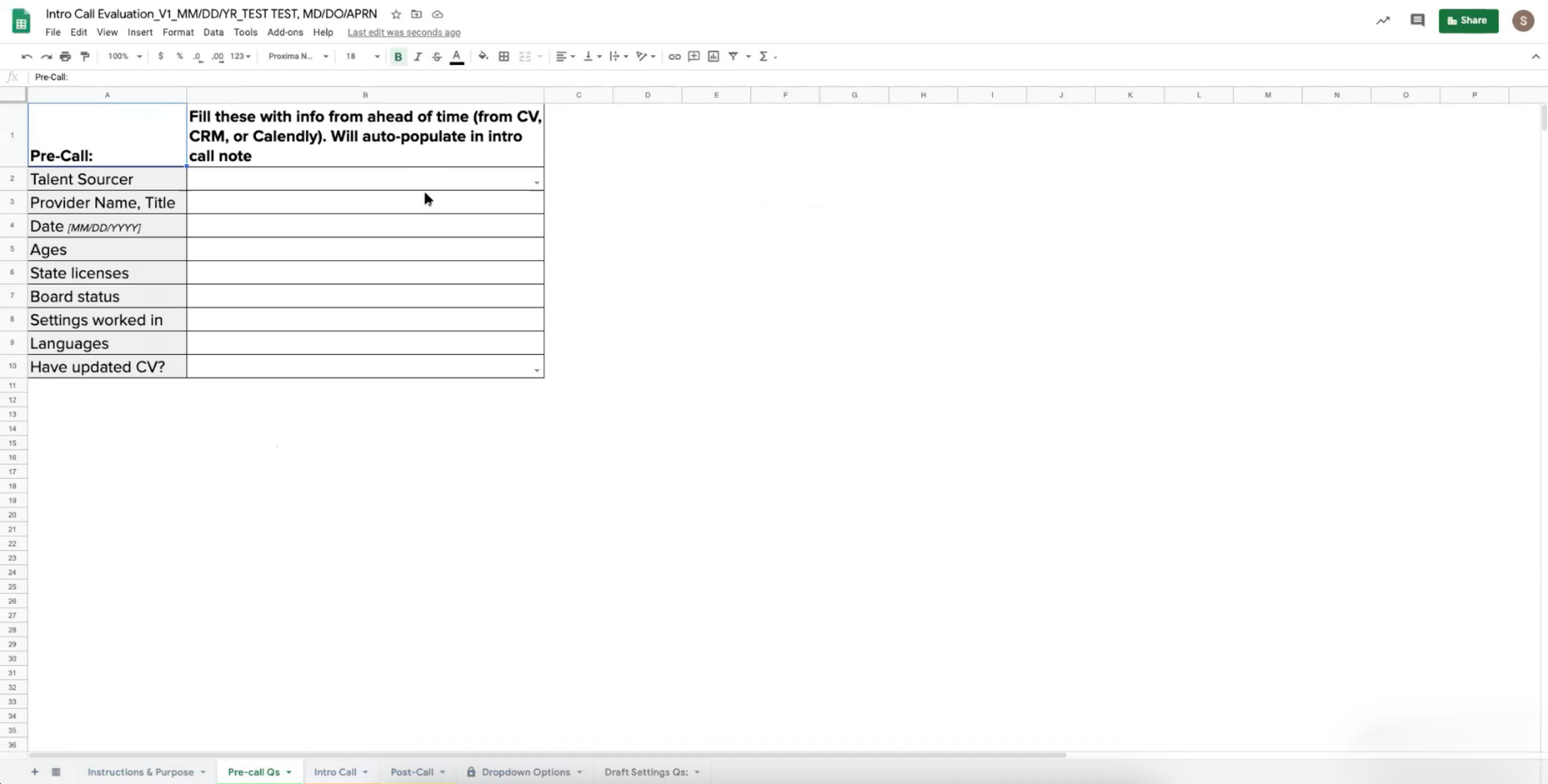
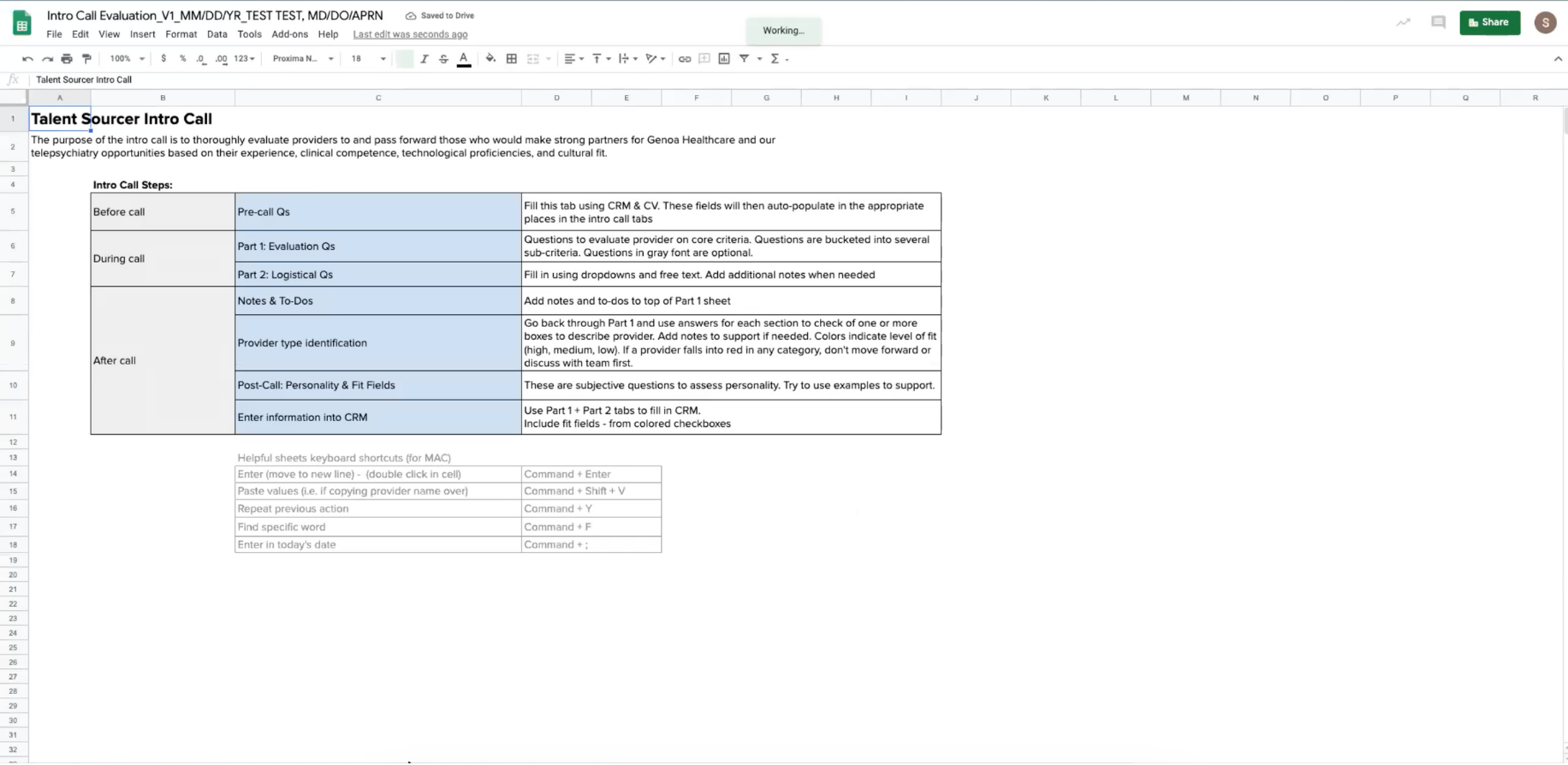
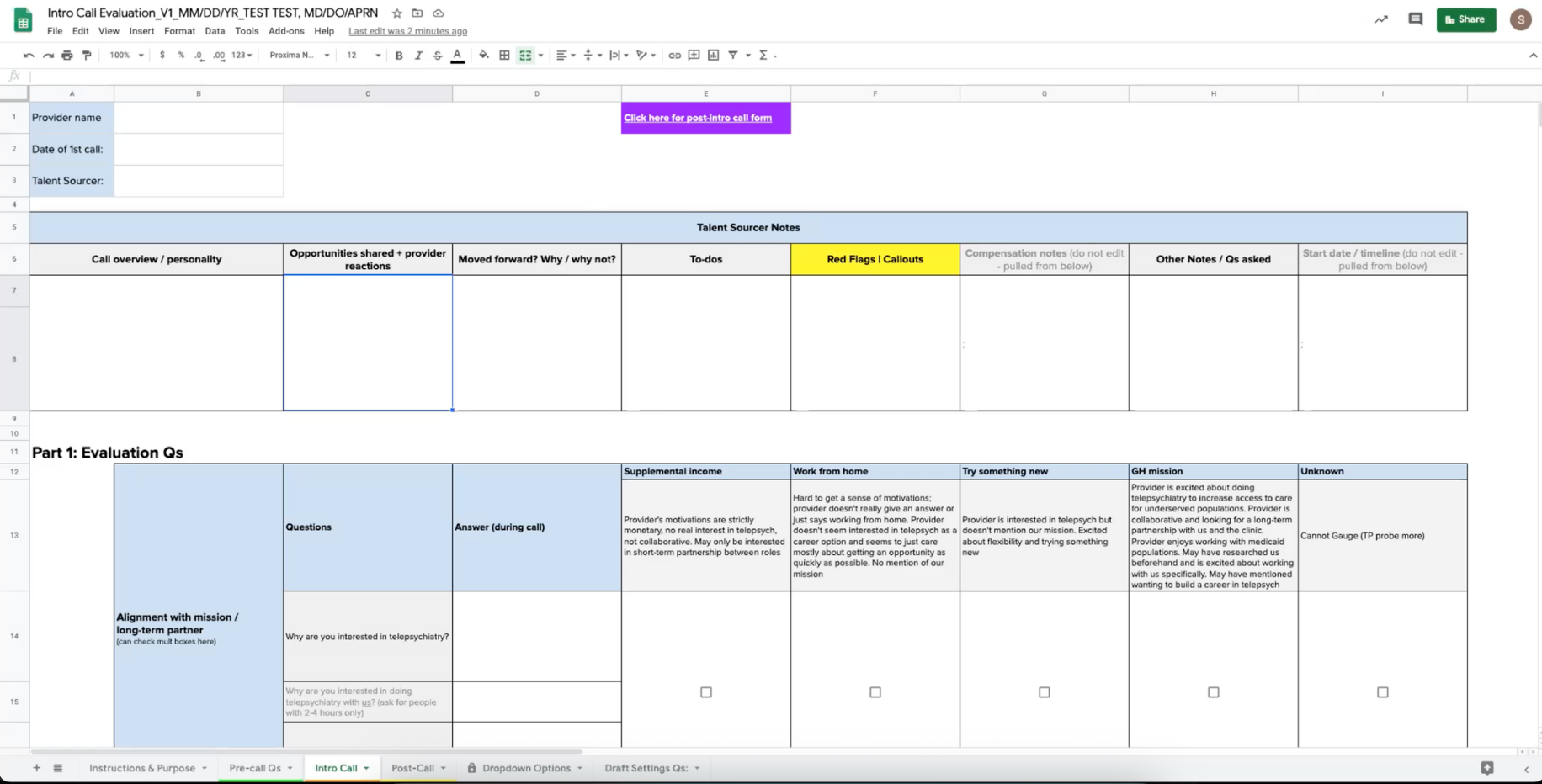
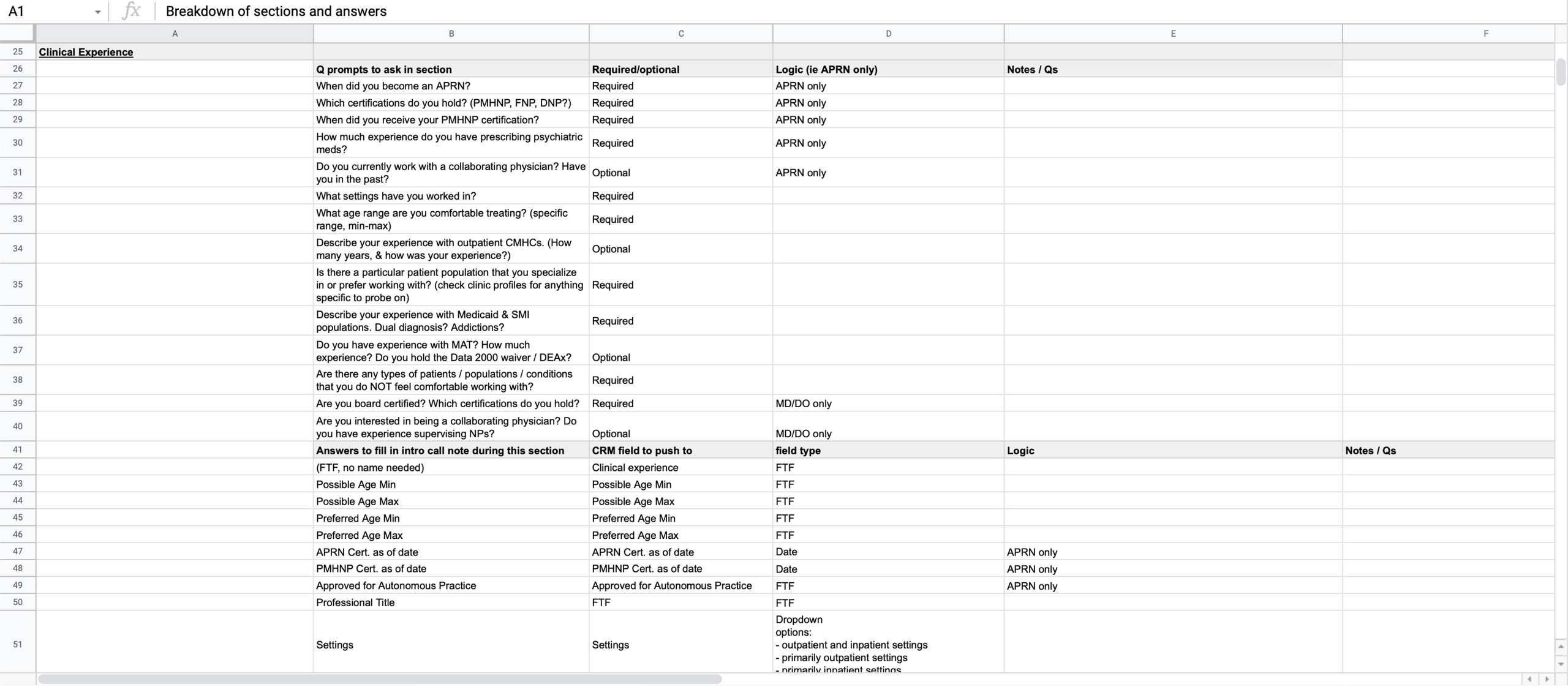
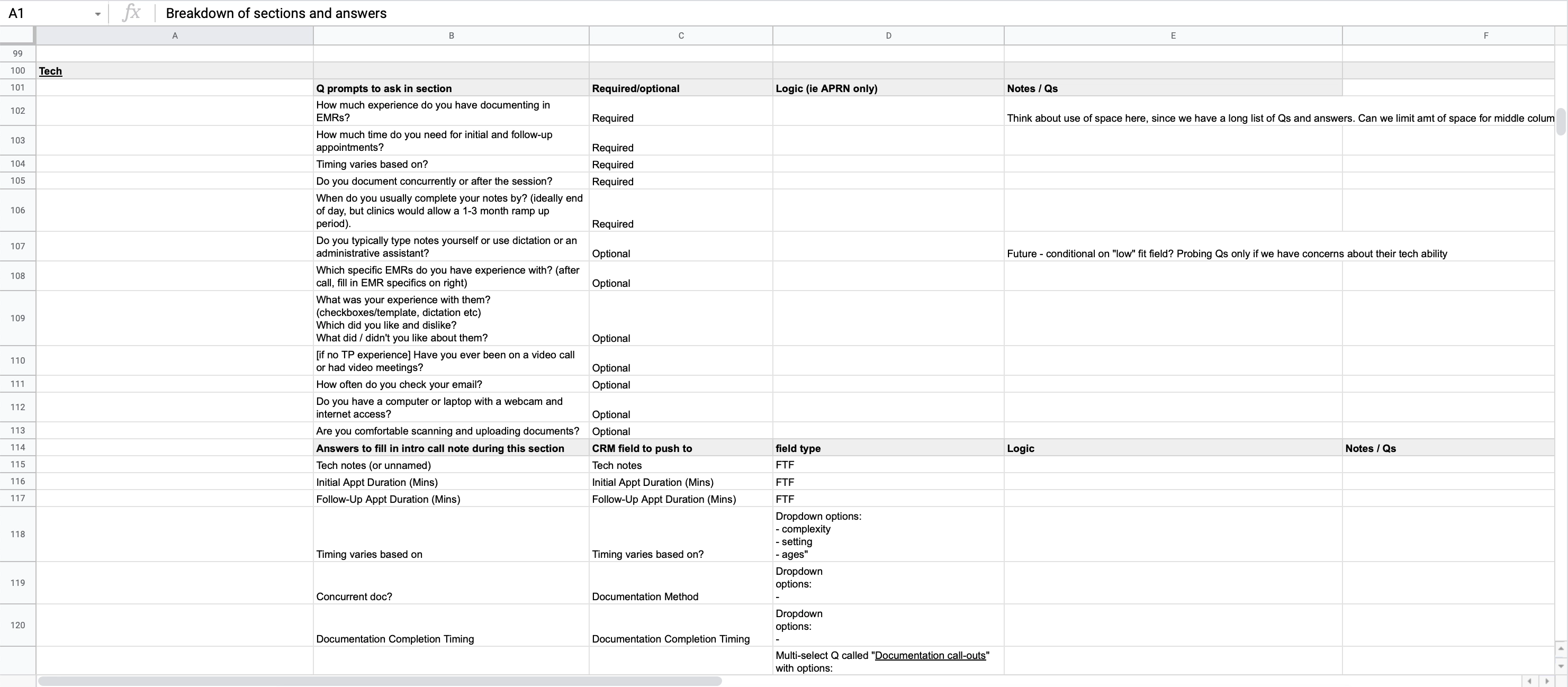
Before the redesign, Talent Sourcers captured information during the Intro Call in a separate document containing multiple sections and tabs.

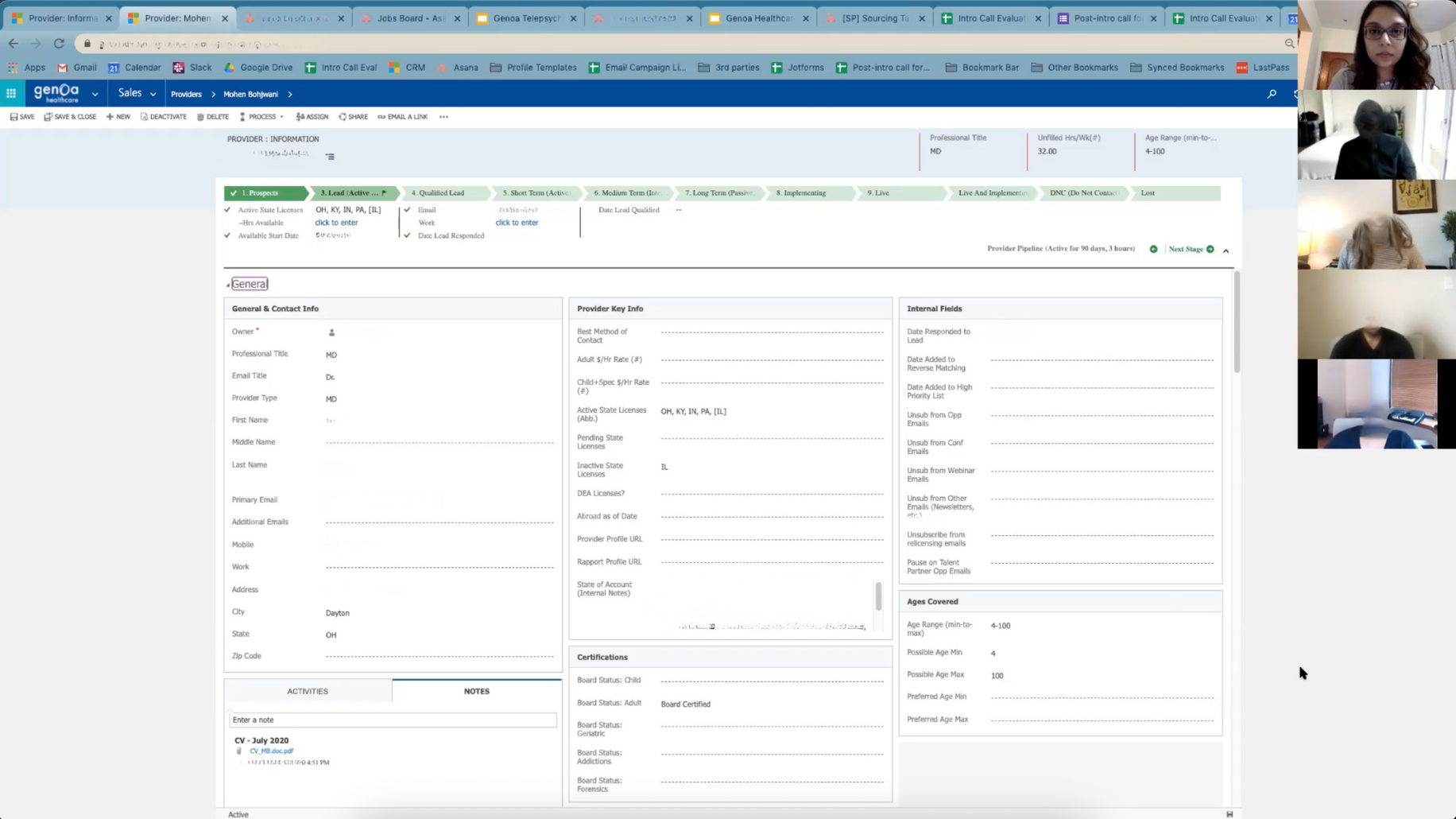
After completing both the Intro Call and Post-Call process, they had to transfer the collected information into Microsoft Dynamics CRM manually, entering it one field at a time.
Information that had already been captured during the evaluation therefore had to be re-entered into another system at the end of the process.

The challenge was to remove repetitive documentation work from the process while making the live evaluation easier to manage.

Goal

The goal was to reduce the time required to evaluate and place a provider by making the workflow more direct and less cognitively demanding.
The redesign focused on four areas:
  • Streamline the Intro Call and Post-Call workflow
  • Eliminate repetitive data entry
  • Reduce cognitive load during live conversations
  • Improve consistency and speed of evaluation
The broader opportunity was to create a workflow where information could be captured once, automatically preserved, and committed to the CRM at each stage.

Research

I combined qualitative research, workflow analysis, and comparative research to understand both the existing process and opportunities for improvement.

1. Interviews

I conducted in-depth interviews with Talent Sourcers to understand how they conducted Intro Calls, what information they needed to capture, and where they experienced friction.

2. Workflow & Documentation Review

I reviewed onboarding materials and call scripts to understand the intended workflow, the questions being asked, and the information required for provider evaluation.

3. Recorded Intro Calls

I analysed recorded Intro Calls to observe the workflow in practice and identify where Talent Sourcers were managing multiple tasks during live conversations.

4. Comparative Research

I also studied established workflow tools, including Asana, to understand how complex workflows could be structured, how information could be surfaced progressively, and how users could move through multi-step tasks without unnecessary cognitive load.
The research showed that the challenge wasn't simply the number of steps. Talent Sourcers were managing conversation, information capture, evaluation, and administrative work simultaneously.
Requirements & Information Architecture

The Talent Sourcer team brought deep domain knowledge of the provider evaluation process. They provided the questions that needed to be asked, the information required from each provider, and the criteria used to evaluate responses.

I worked through these requirements to define how the information should be structured and captured within the new Intro Call Note.
This included mapping:
  • Interview questions and question prompts
  • Required vs. optional information
  • Appropriate field types, such as text fields, dropdowns, and dates to log provider data
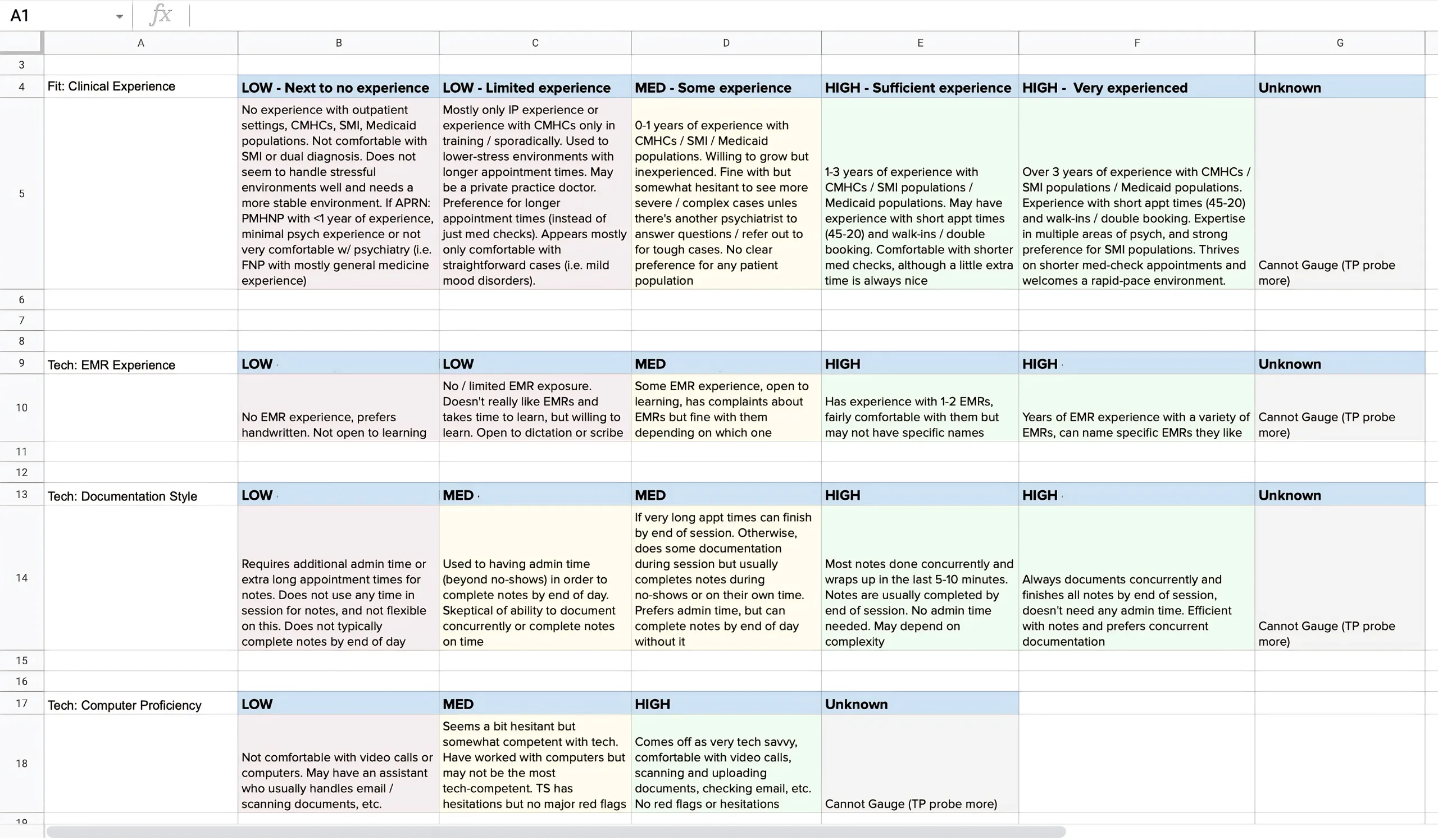
  • Evaluation criteria and ranking rubrics
The requirements were documented and reviewed before moving into interface design, giving me a clear foundation for the information architecture and interaction model.
Working through the requirements with the Talent Sourcer team helped define the questions, data structure, field types, logic, and CRM requirements the product needed to support.
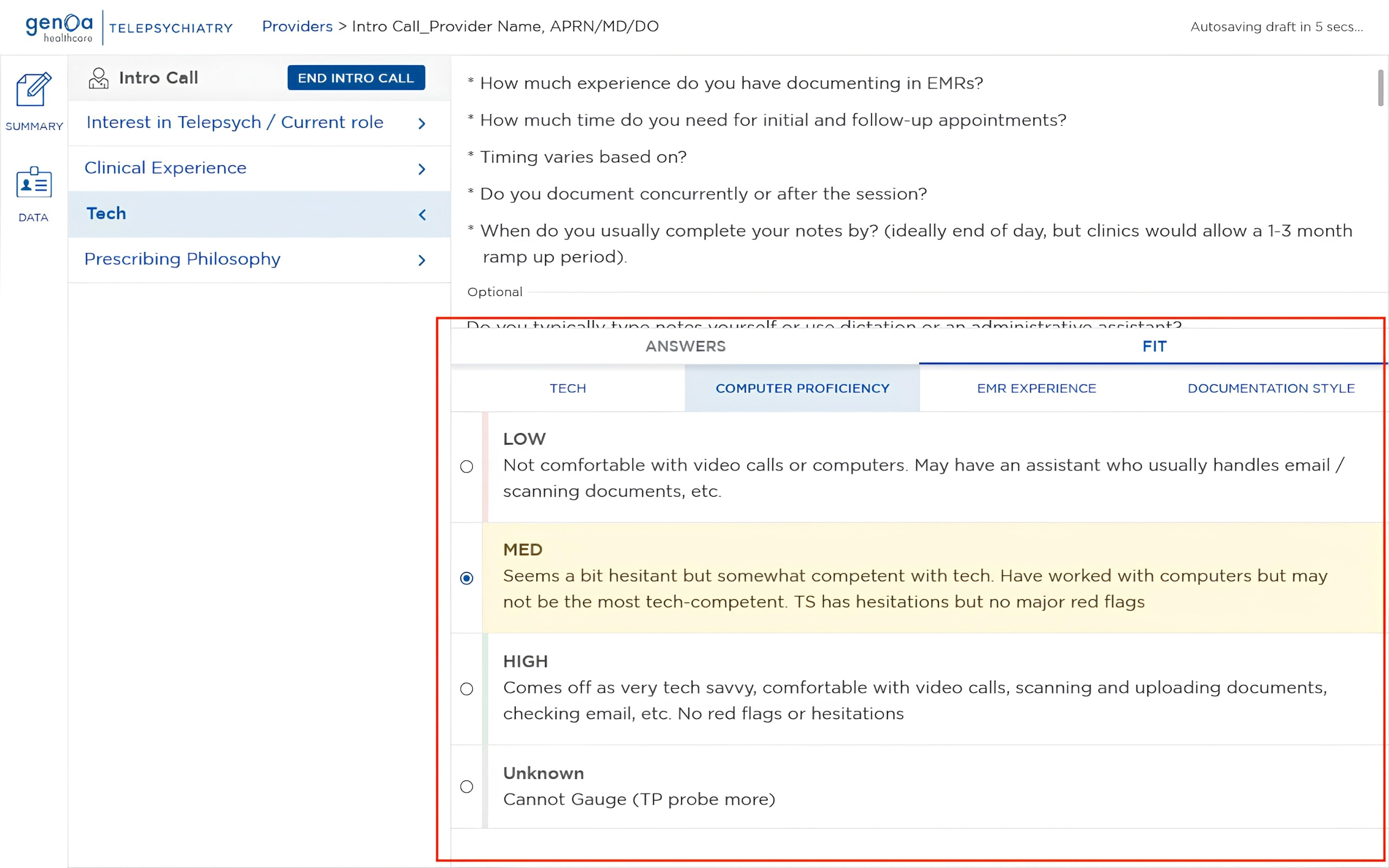
Evaluation criteria were translated into structured ranking systems with defined levels anddescriptions to support more consistent assessment.

Key Insight

The problem wasn't just inefficiency. It was cognitive overload.

During an Intro Call, Talent Sourcers had to conduct the conversation while simultaneously navigating questions, capturing information, tracking responses, and evaluating the provider.

The workflow then added administrative work after the conversation by requiring the collected information to be transferred into the CRM manually.
The opportunity was to create a single, structured workflow where information could be captured once, automatically preserved, and committed to the CRM at each stage.

Defining the Intro Call Note

The experience was divided into four working areas:

1. Summary

Notes and summary for Talent Sourcers.

2. Logistical Data

Credentials, availability, licensing, and other personal/logistical information.

3. Intro Call

Four categories of interview questions, prompts, answer fields, and ranking rubrics for selected criteria.

4. Post-Call

Three categories containing prompts, answer fields and ranking rubrics for selected criteria.

Job Stories

With the requirements and information architecture defined, I translated key features and user needs into Job Stories.

Each feature was framed around what Talent Sourcers needed to accomplish. I shared the Job Stories with Talent Sourcers for feedback before moving into visual exploration.

This helped clarify requirements, resolve ambiguities, and identify gaps early, giving me a validated foundation to move from requirements into sketches and wireframes.
A few of the Job Stories that were written for key features and user needs

Exploration

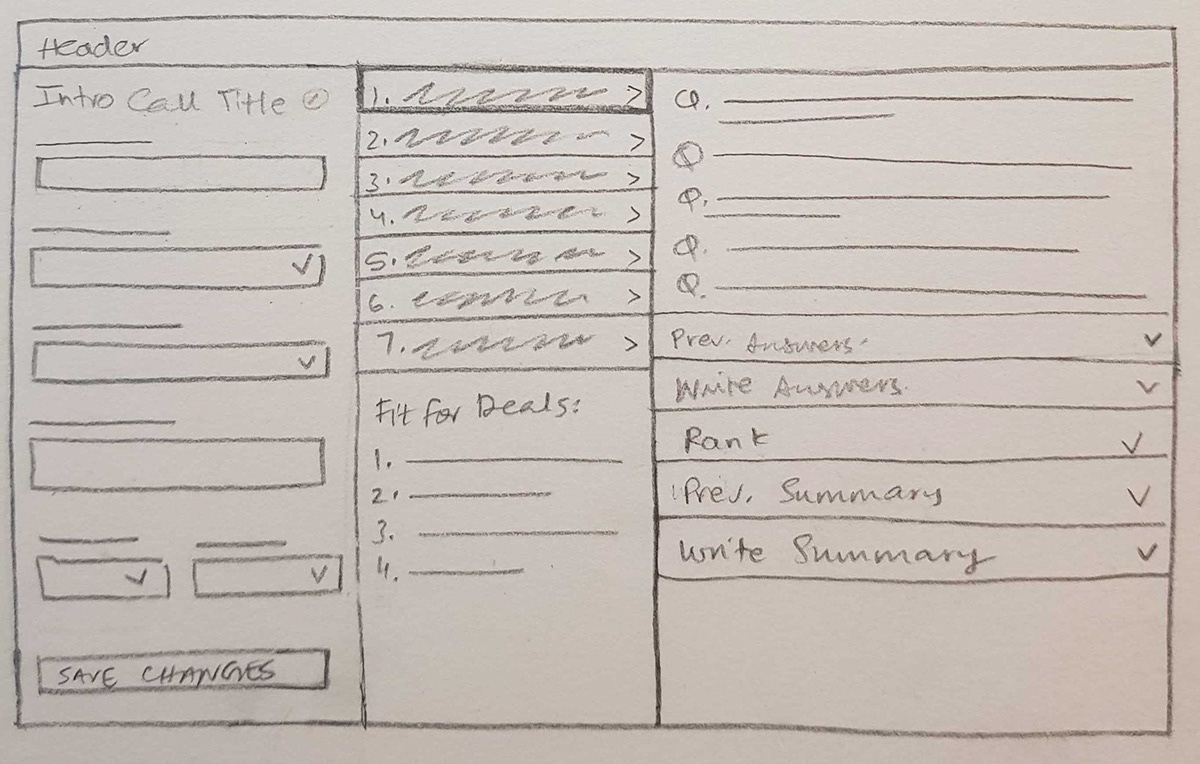
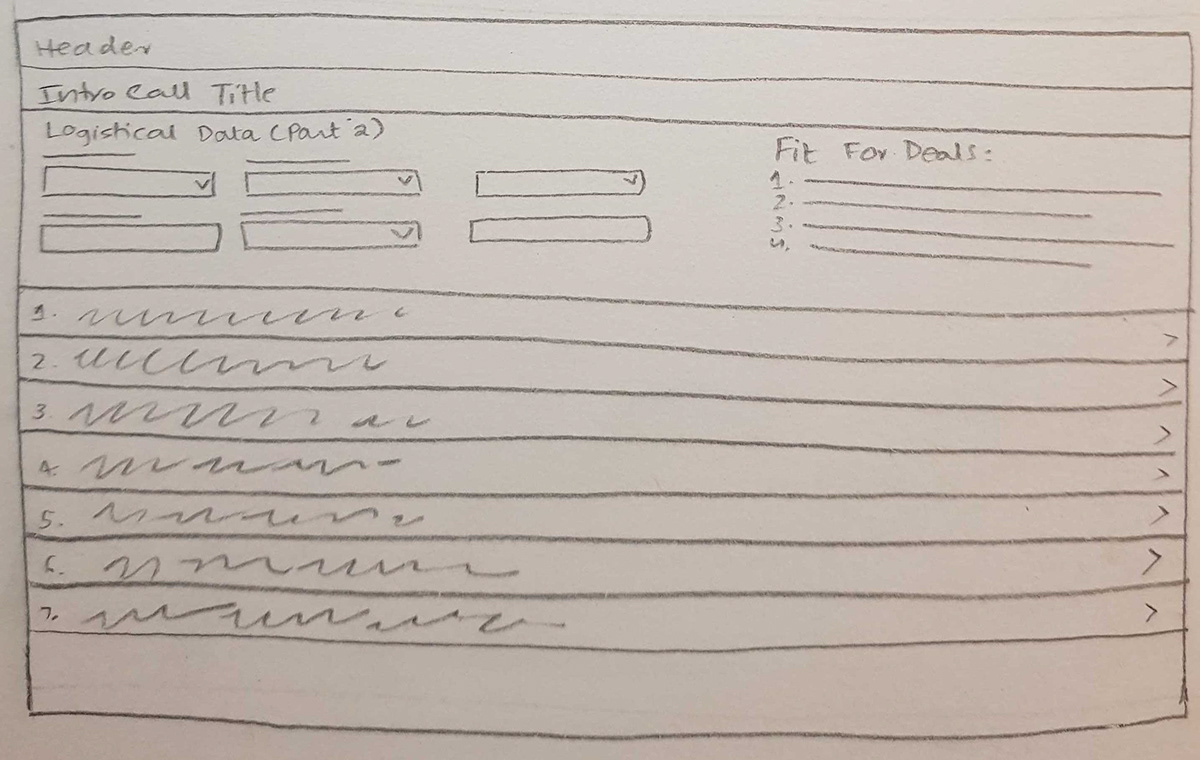
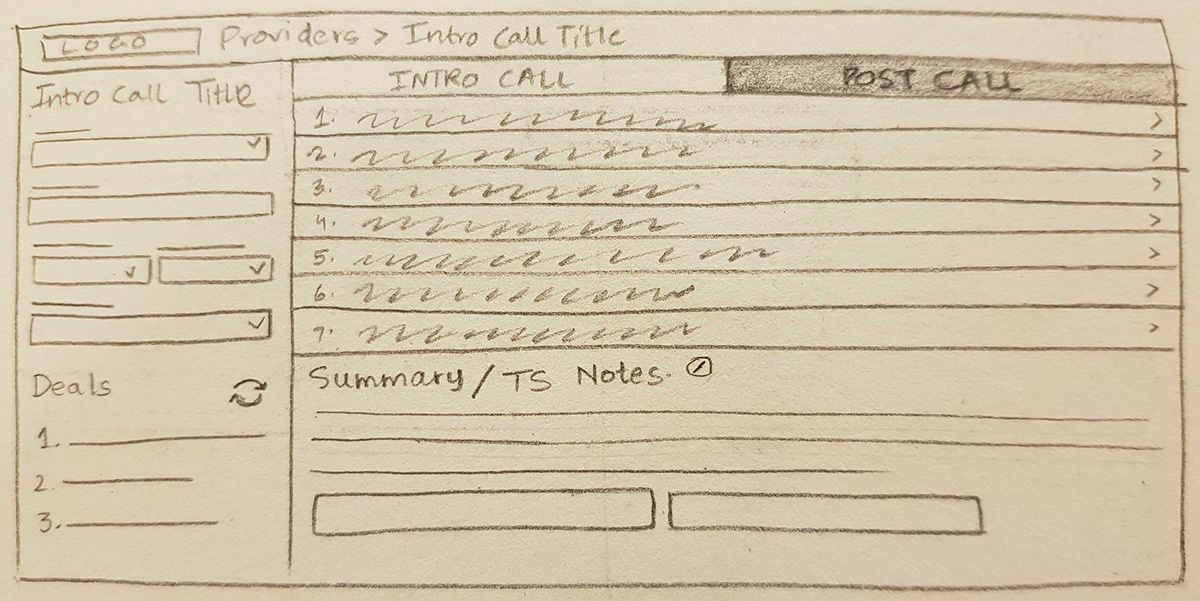
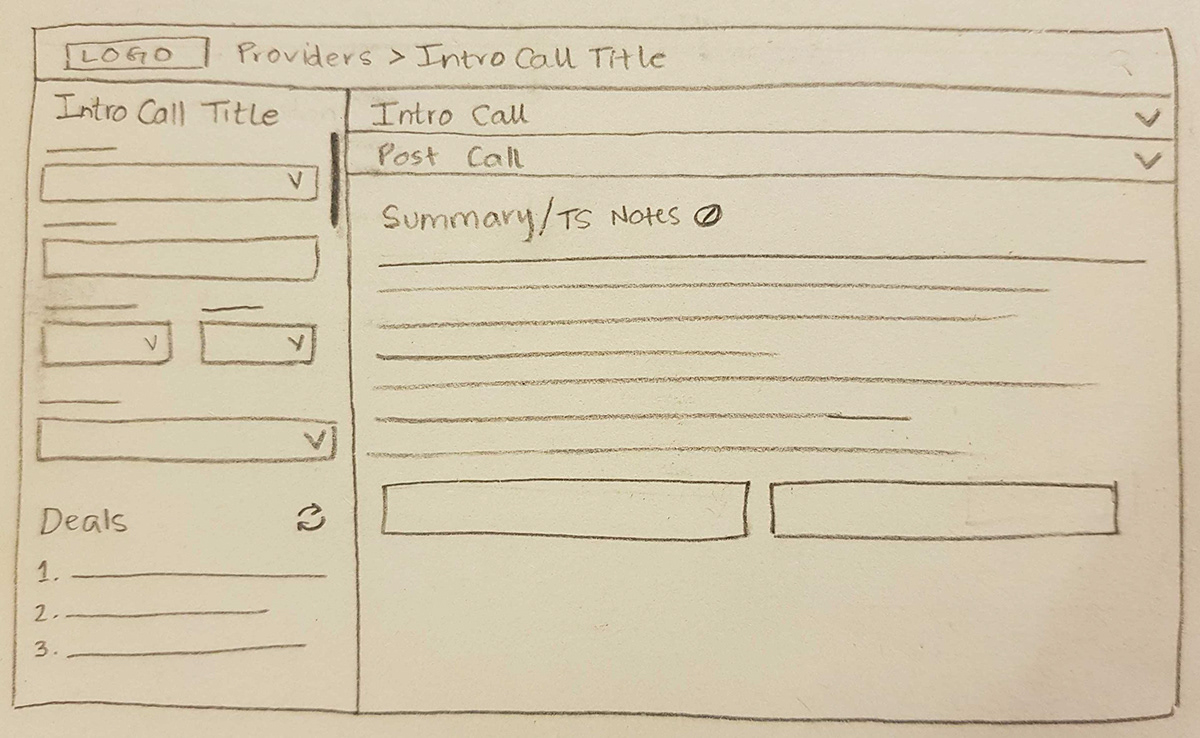
Before moving into the final interface, I explored different ways of structuring the workflow through quick sketches and wireframes.

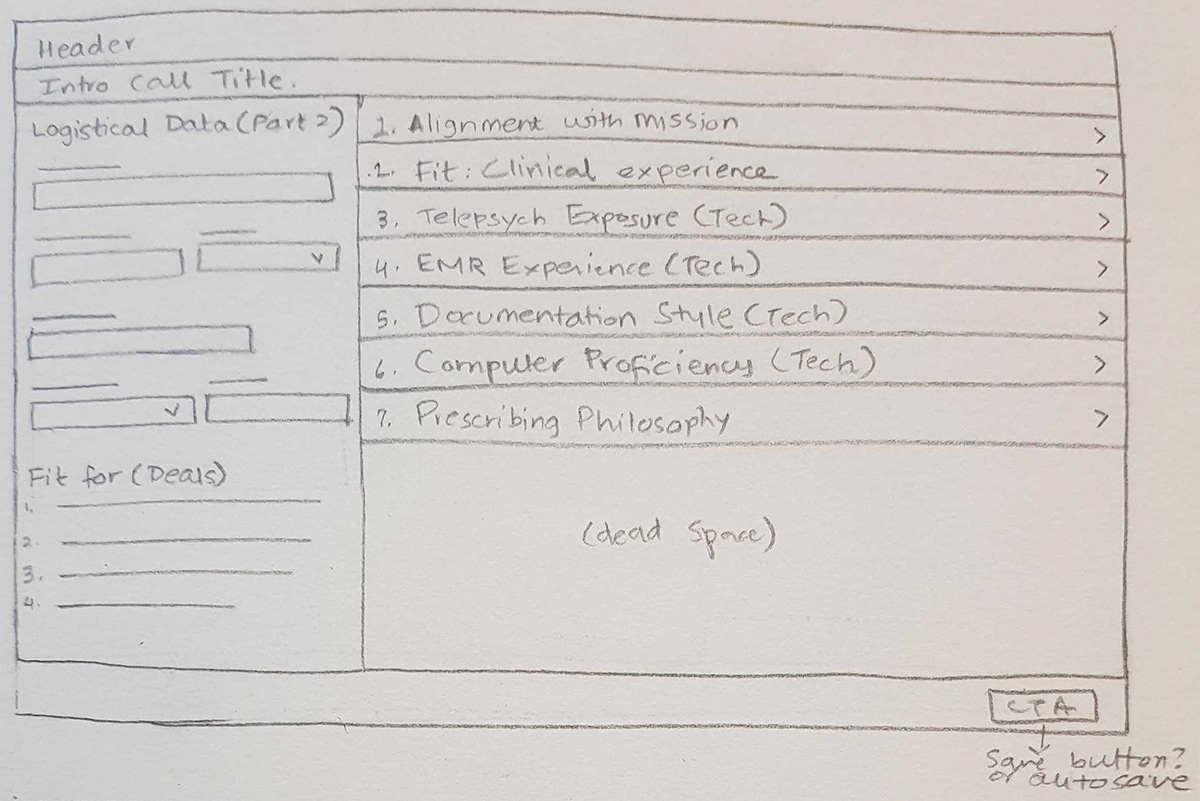
Pencil Sketches

I started with pencil sketches to quickly explore different layouts, information hierarchies, and ways of bringing the evaluation experience together.

The goal at this stage was to explore the structure of the experience without getting distracted by visual styling.

Wireframes

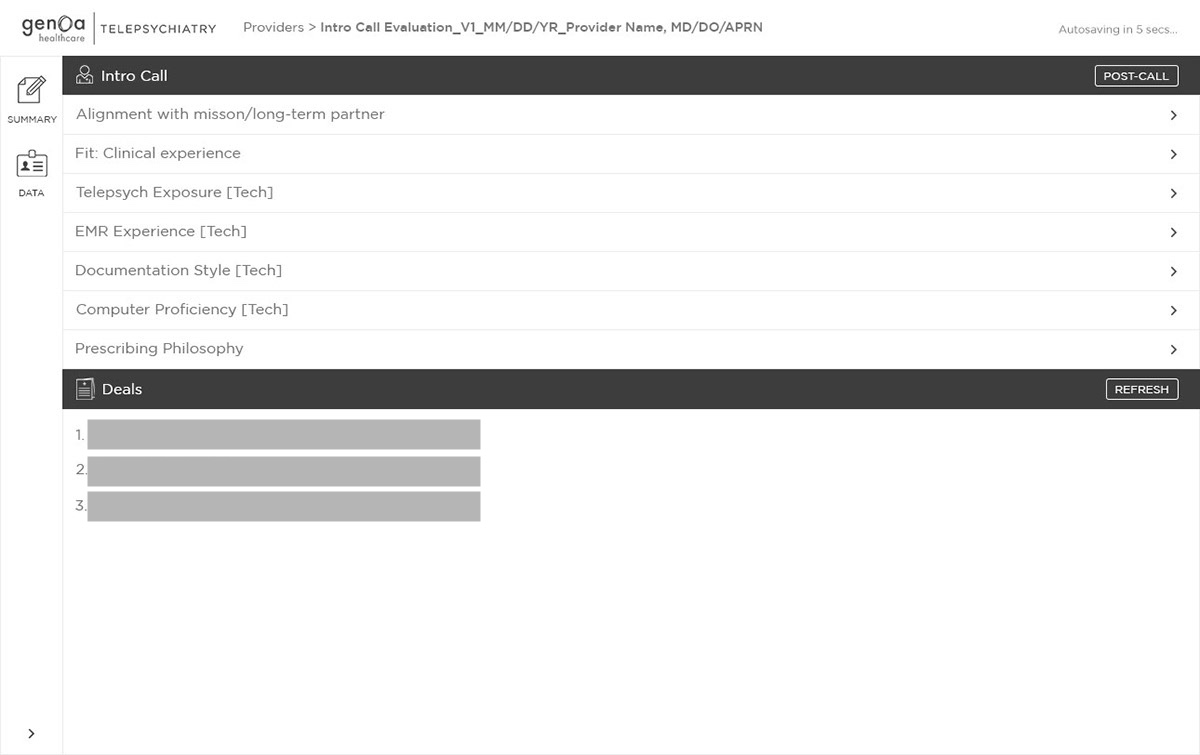
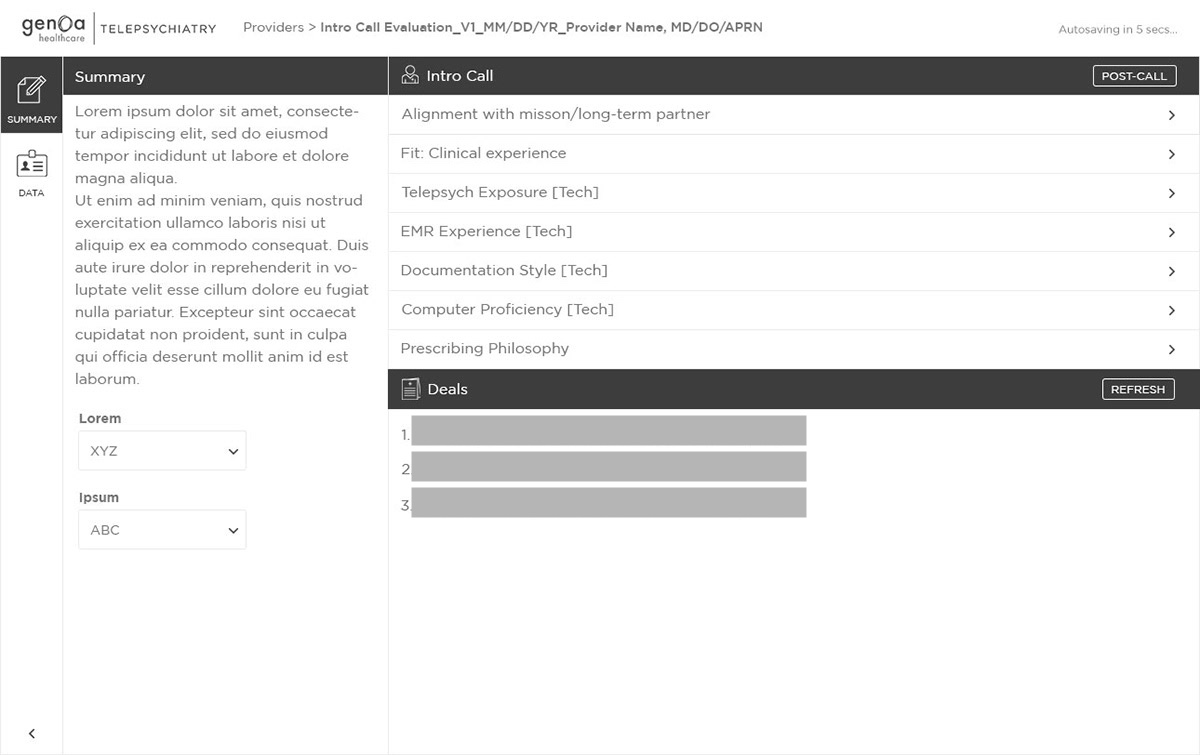
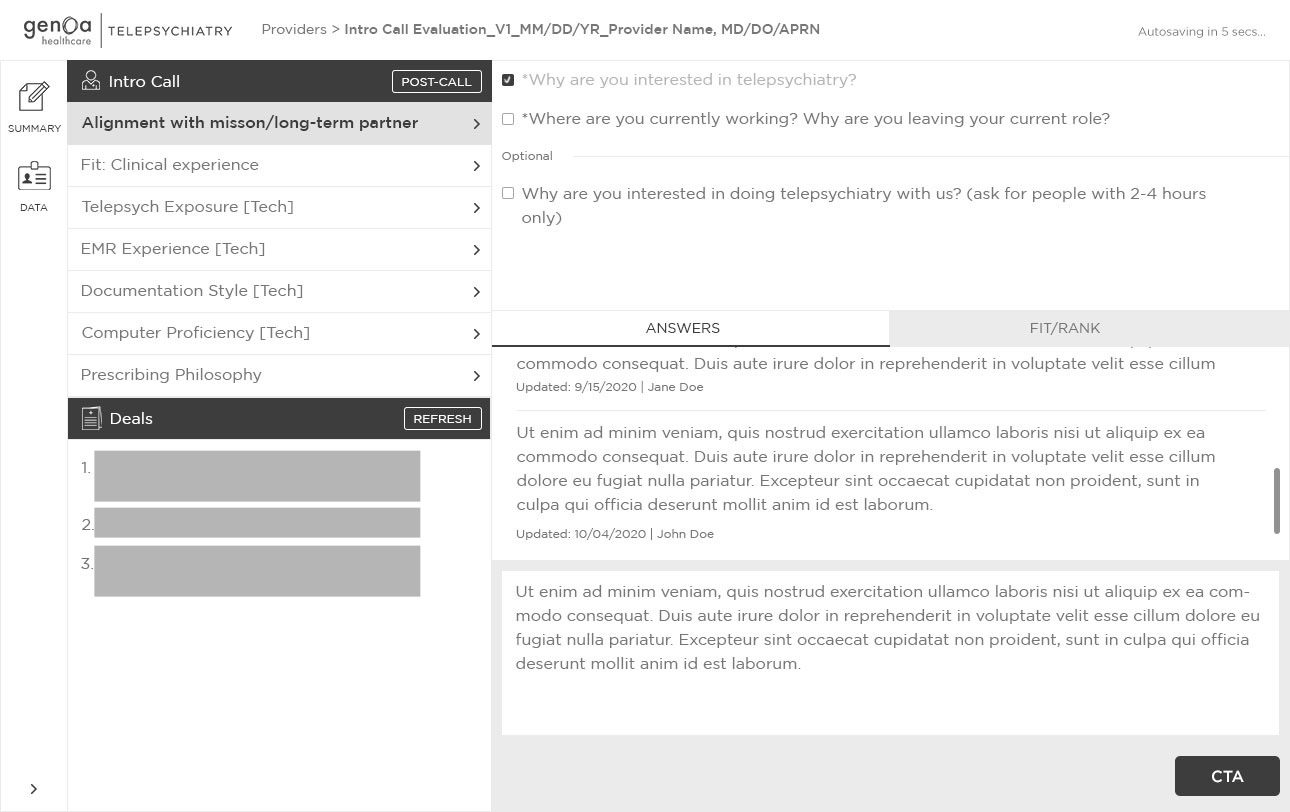
I then translated the strongest concepts into wireframes to test the structure and navigation across the Intro Call and Post-Call experience.

The wireframes explored how questions, prompts, answers, notes, provider information, evaluation, and navigation could work together within the same workflow.

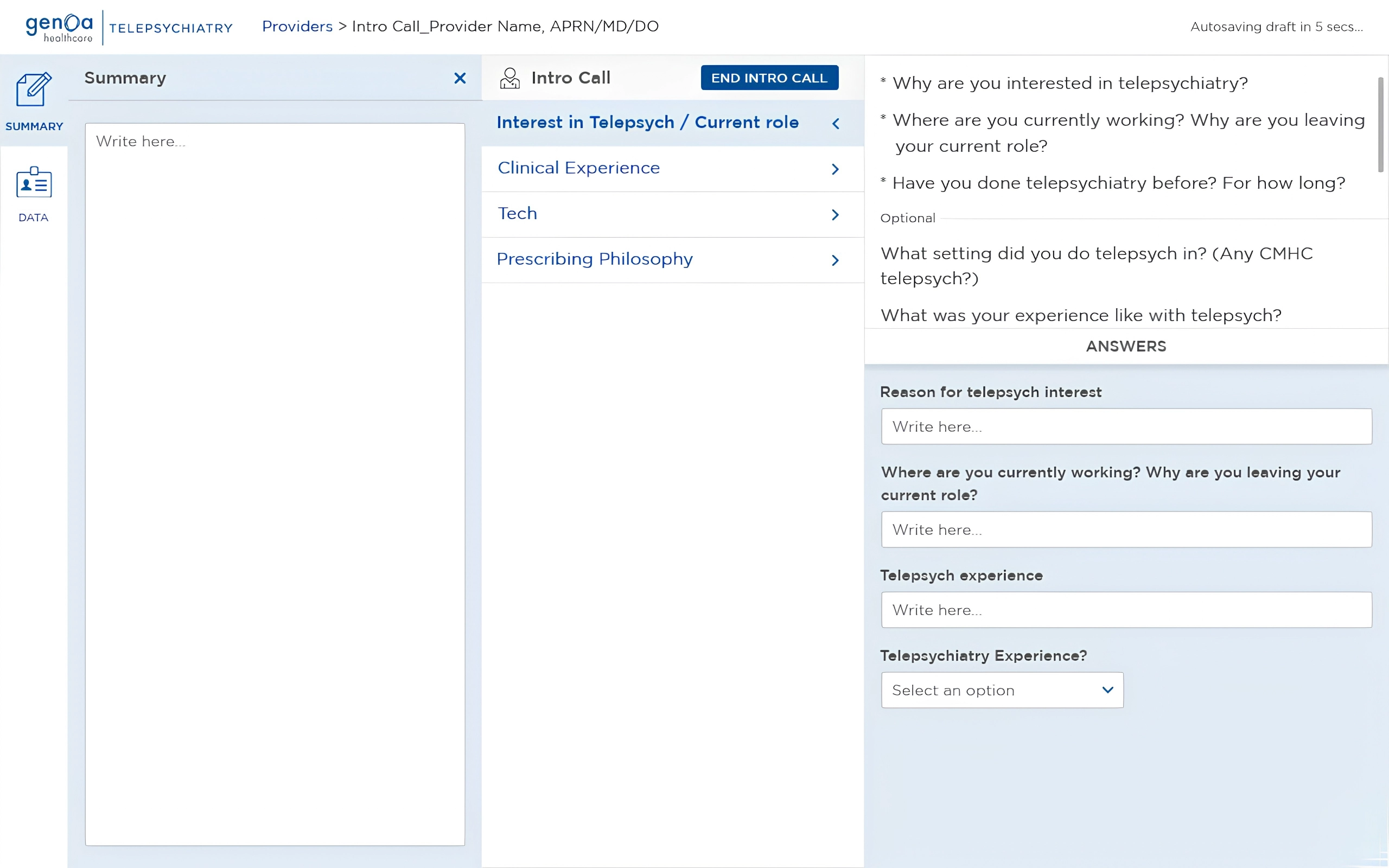
Structured Intro Call

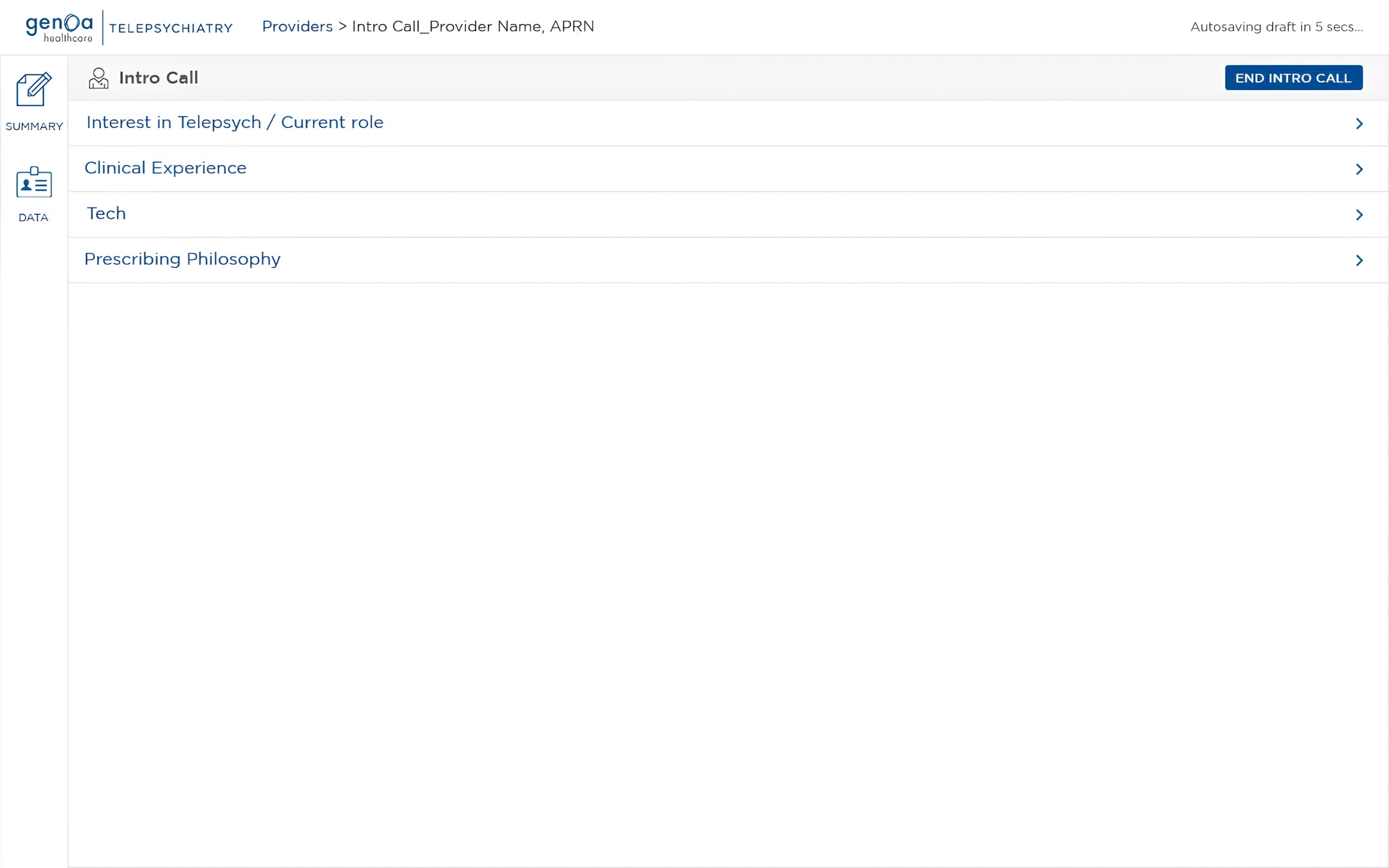
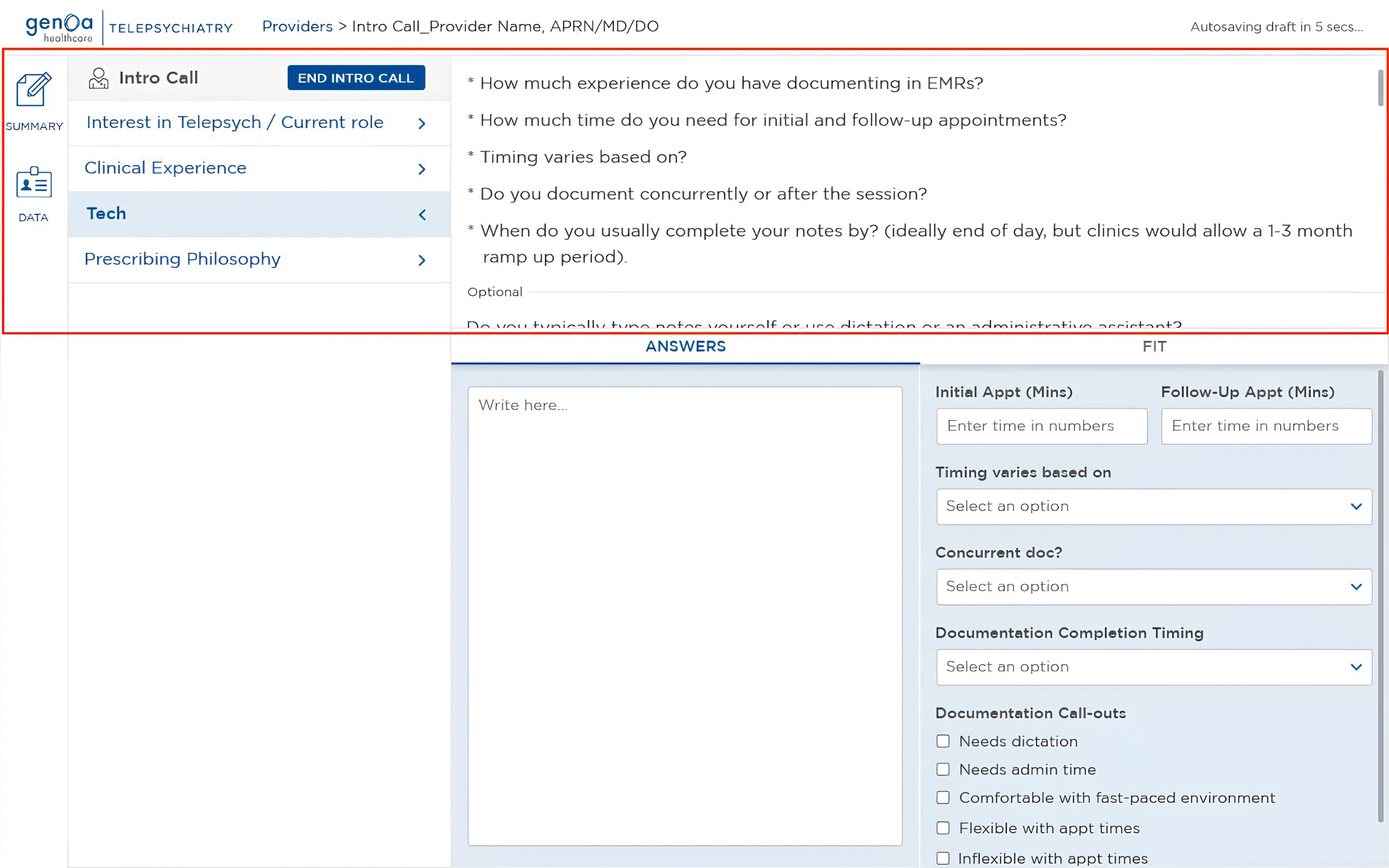
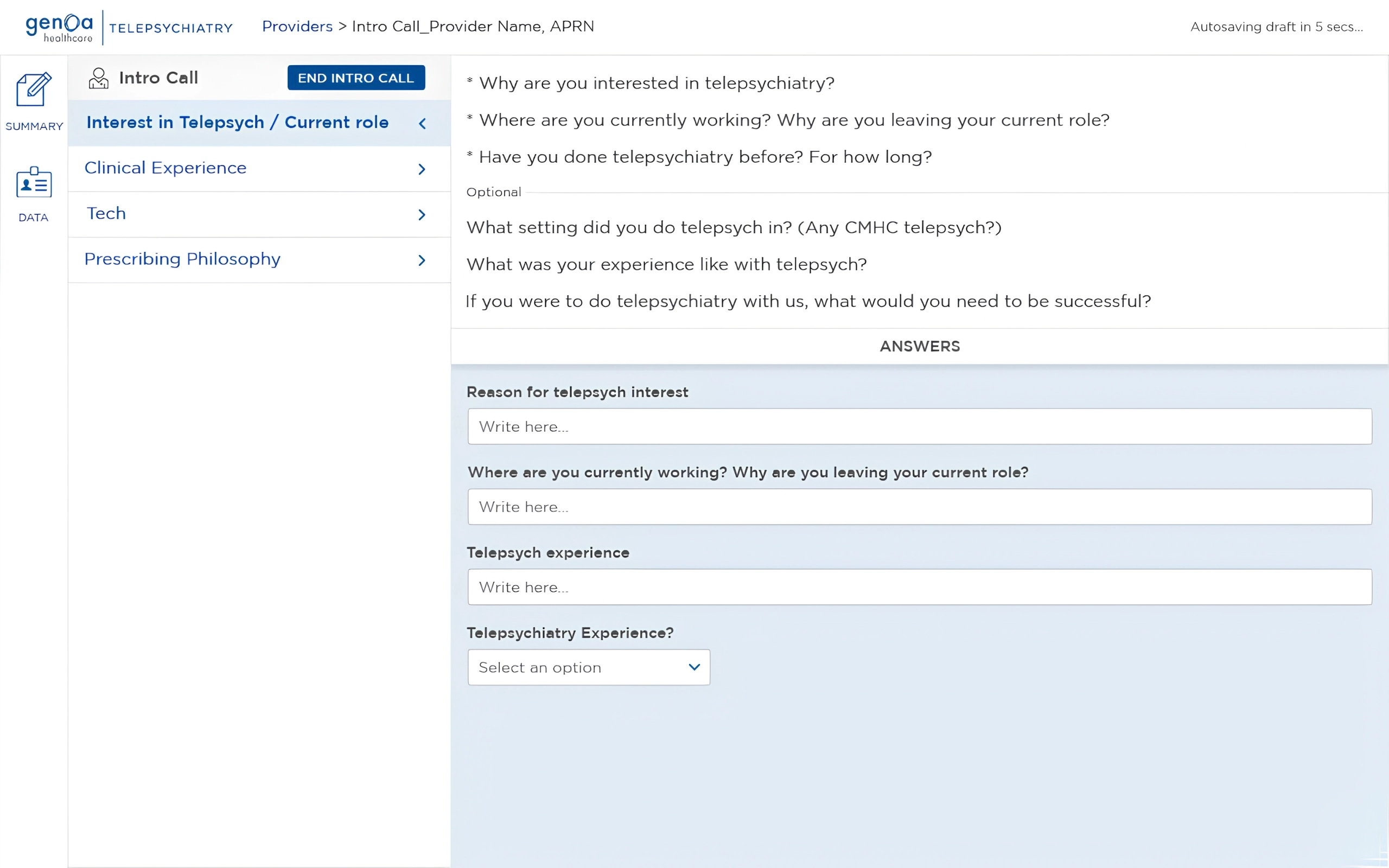
The Intro Call was brought into a single structured workspace, giving Talent Sourcers one place to navigate the conversation, capture information, and evaluate the provider.

The experience combined the interview questions, logistical data, notes, and evaluation criteria within the same workflow, reducing the need to switch between documents or tools during the call.

The workspace was designed around the way Talent Sourcers actually conducted the conversation: moving between questions, listening and documenting responses, checking provider details, and evaluating the provider as the call progressed.

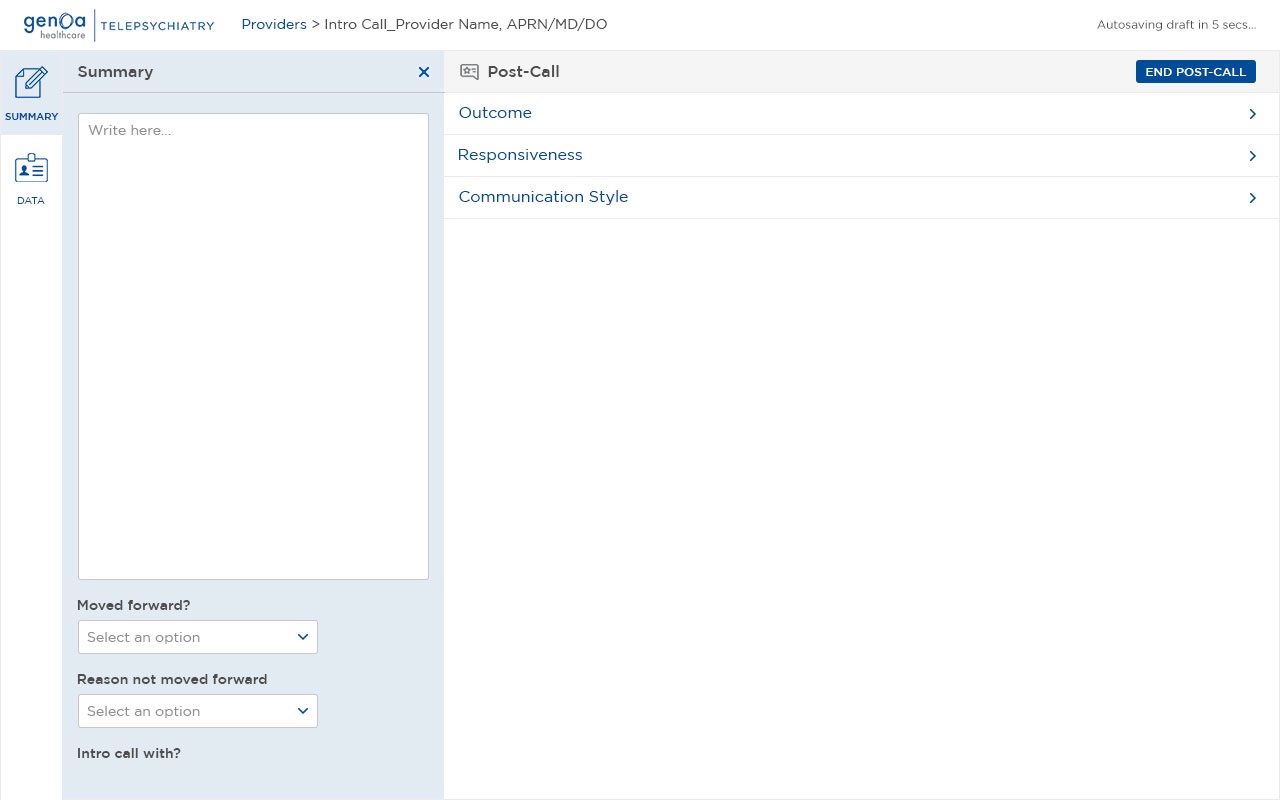
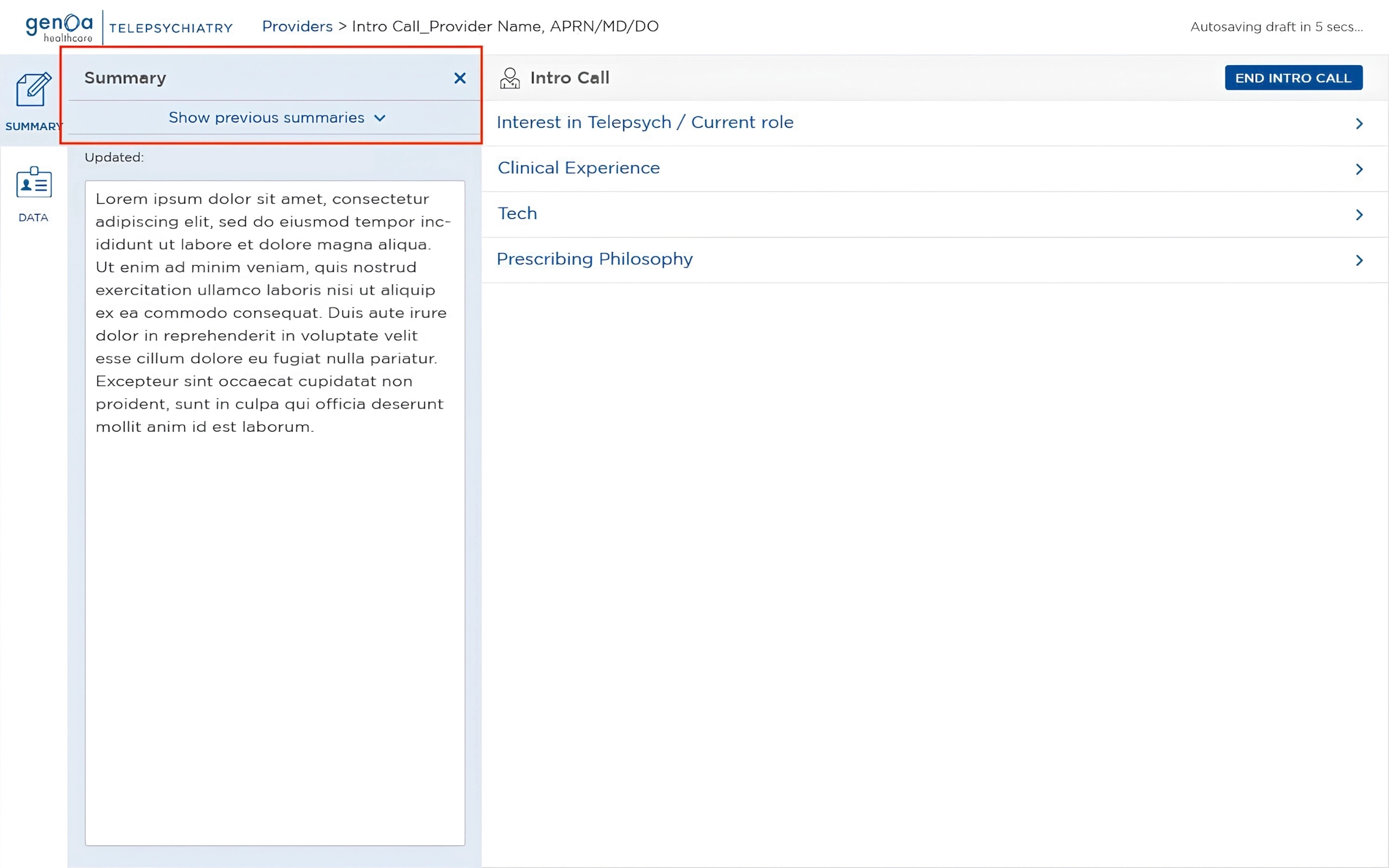
Summary & Context

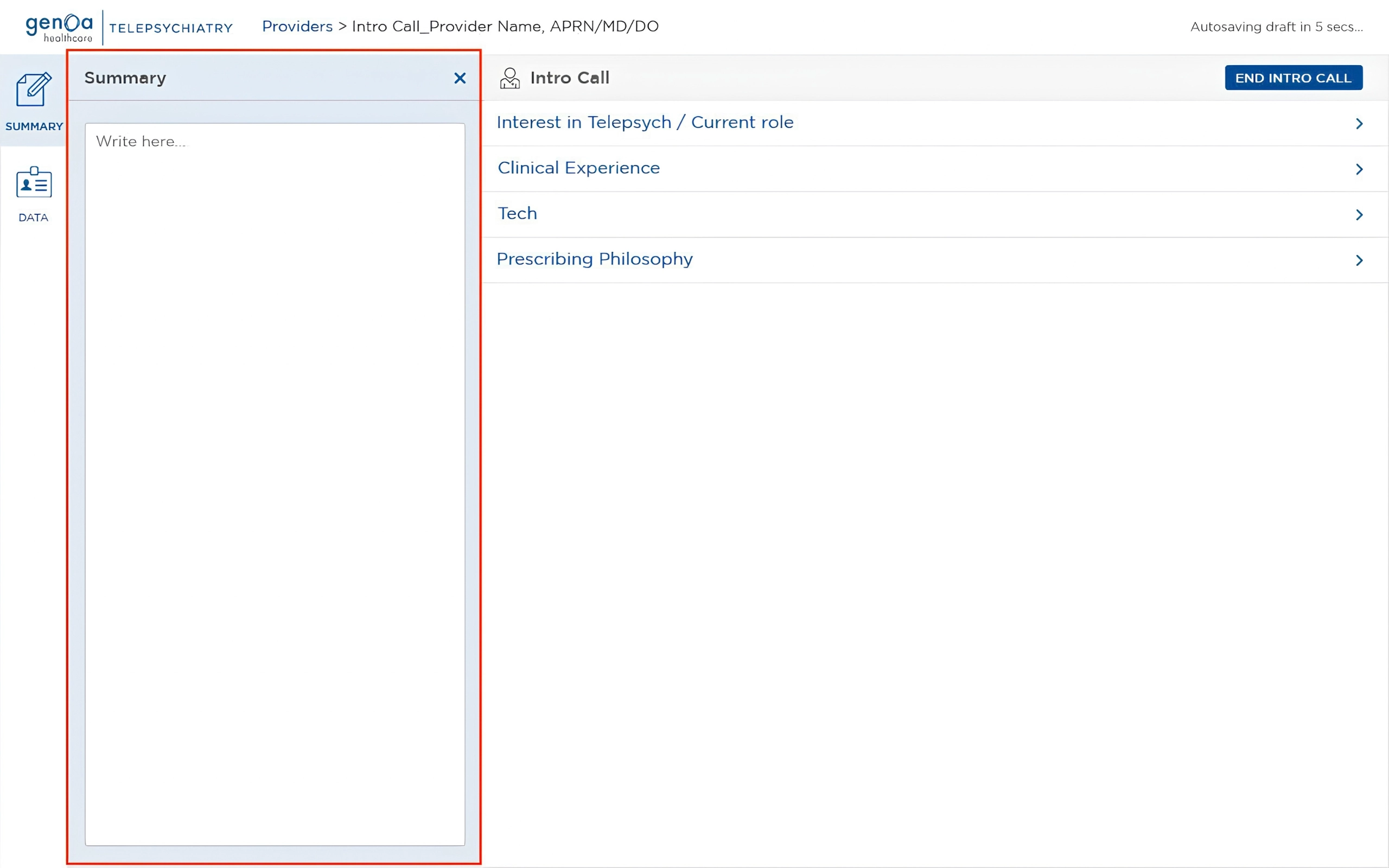
The Summary area provided a place to capture high-level notes and context that could help other Talent Sourcers quickly understand the provider.

Keeping this information within the same workspace meant that important context was available alongside the evaluation rather than being stored separately.
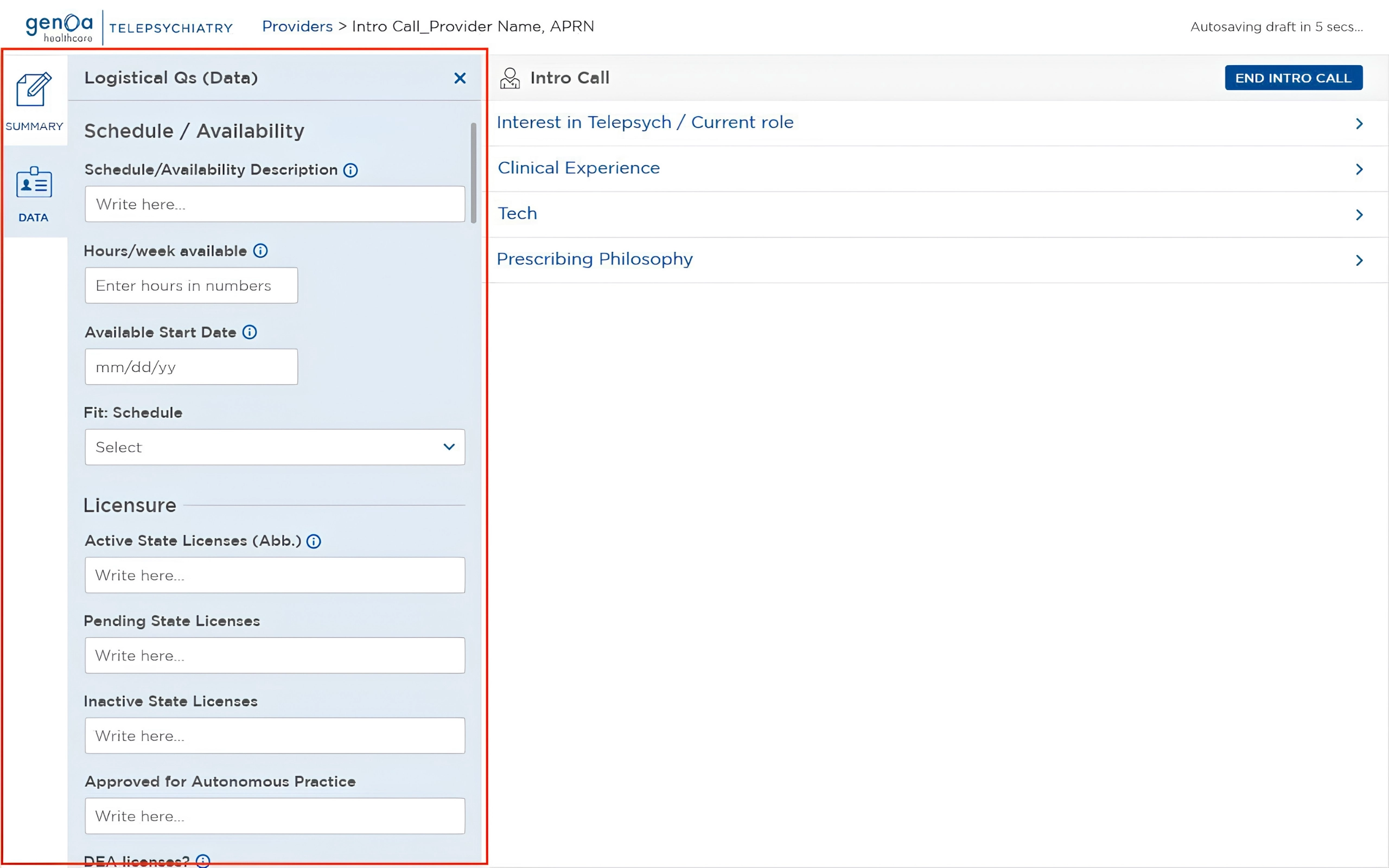
Structured Logistical Data

Provider details such as availability, licensing, credentials, and other logistical information were organised into a dedicated section with fields designed for each type of data.
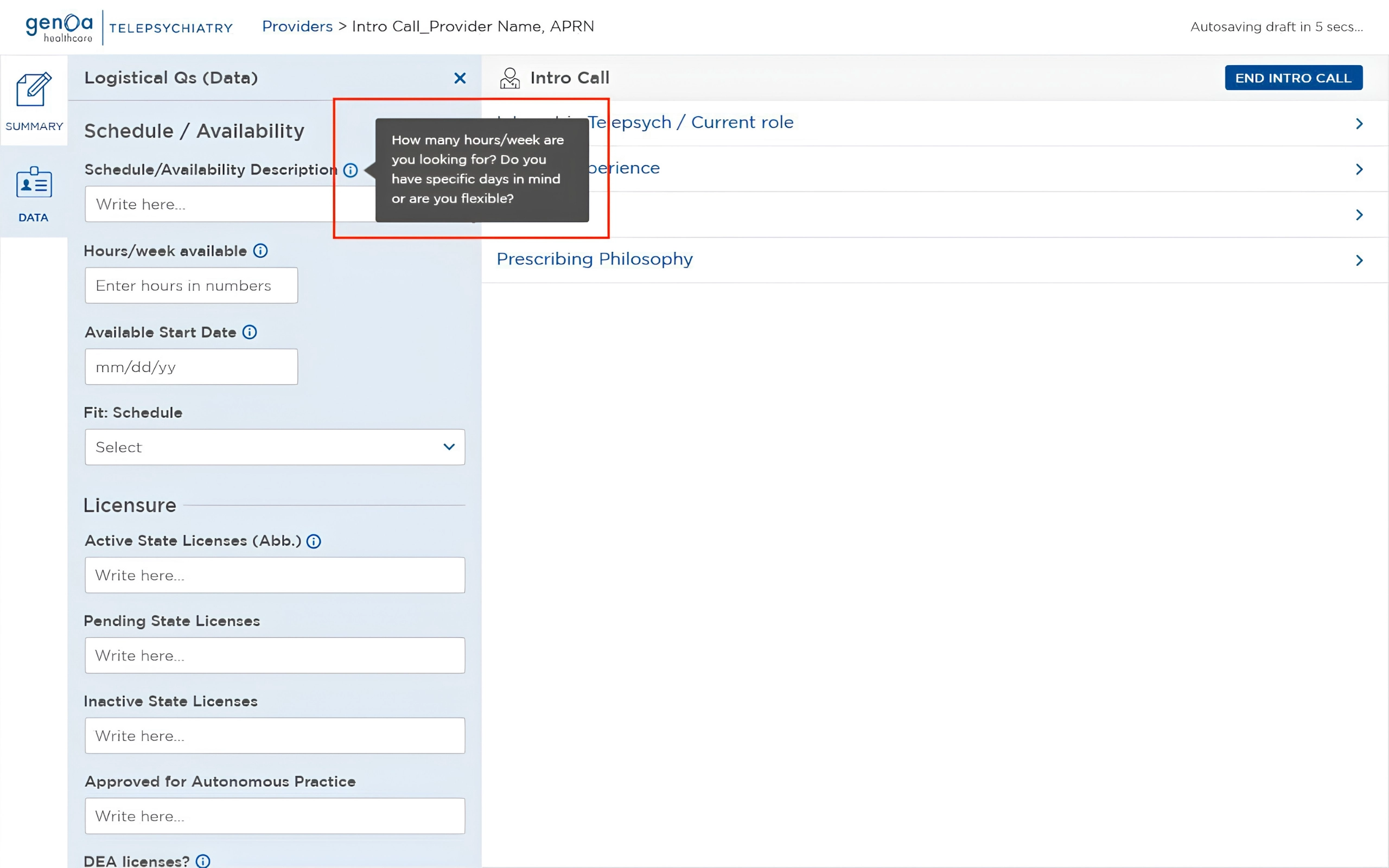
Contextual prompts were available where needed to guide Talent Sourcers on what to ask, helping them capture complete and consistent information without interrupting the flow of the conversation.

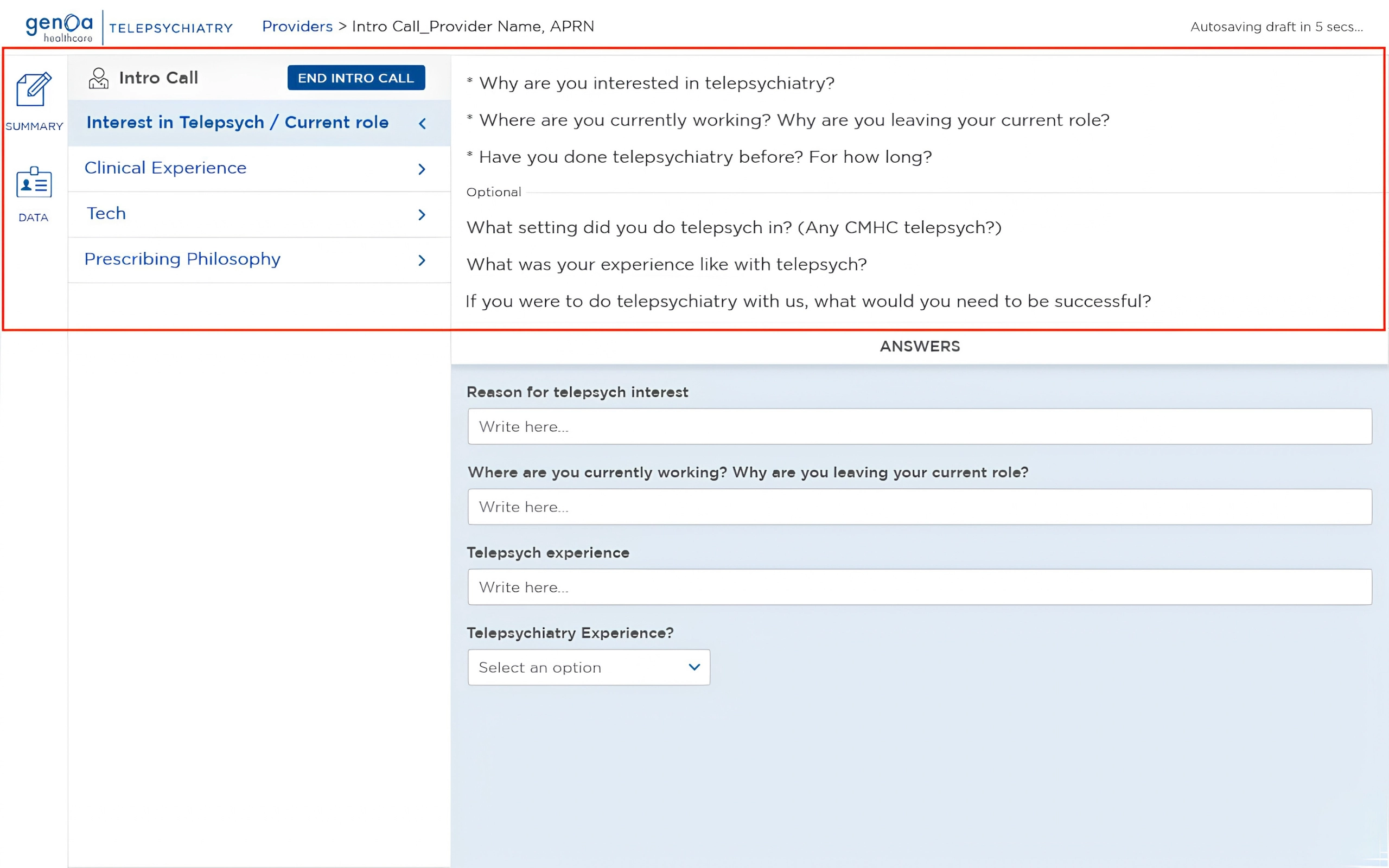
Structured Interview Guide

The Intro Call included the complete set of questions Talent Sourcers needed to cover, organised into clear categories. Each question was paired with a dedicated space and input field for capturing the provider’s response.

This allowed Talent Sourcers to ask, listen, and document within the same workflow, while providing a consistent structure for every Intro Call.

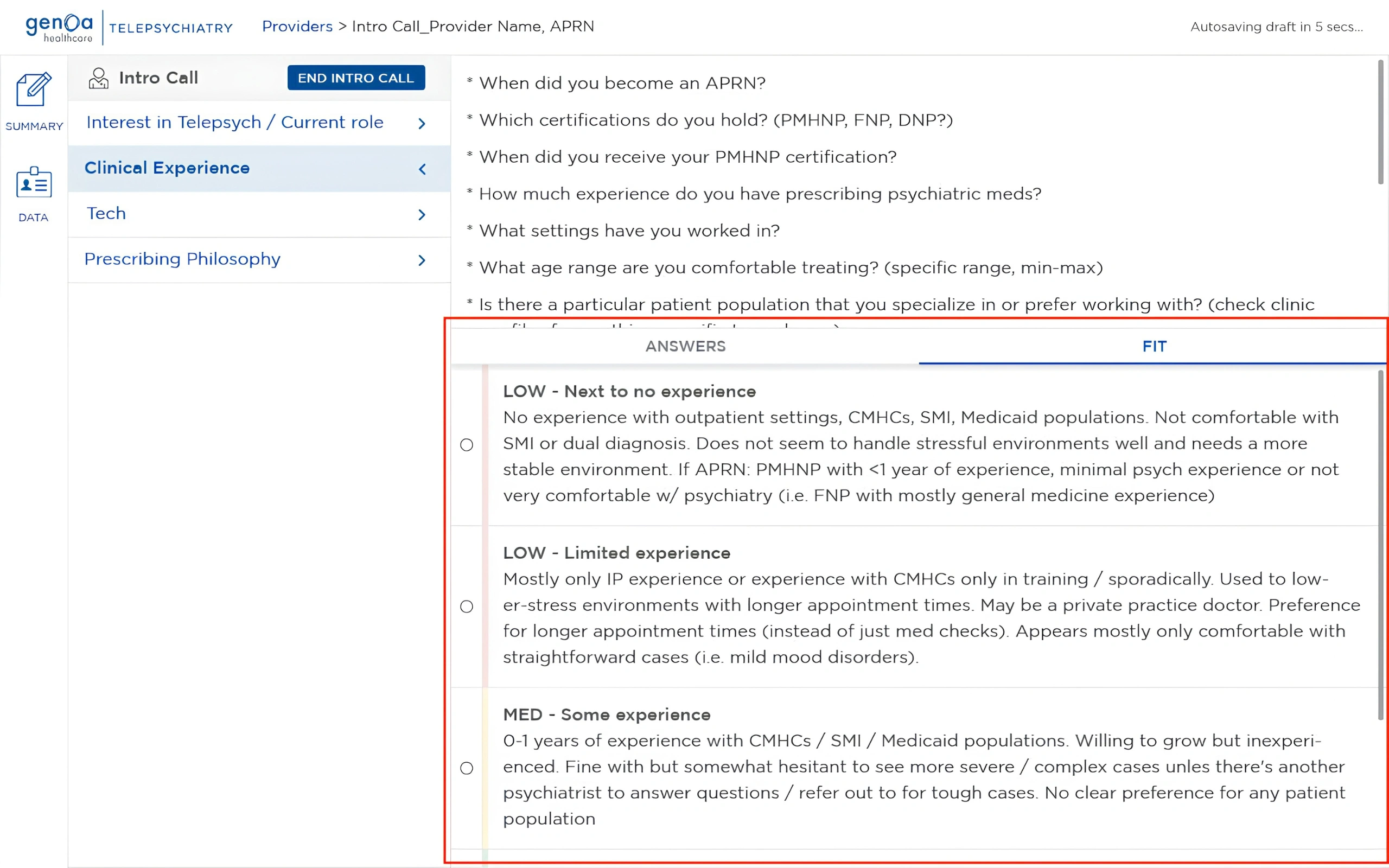
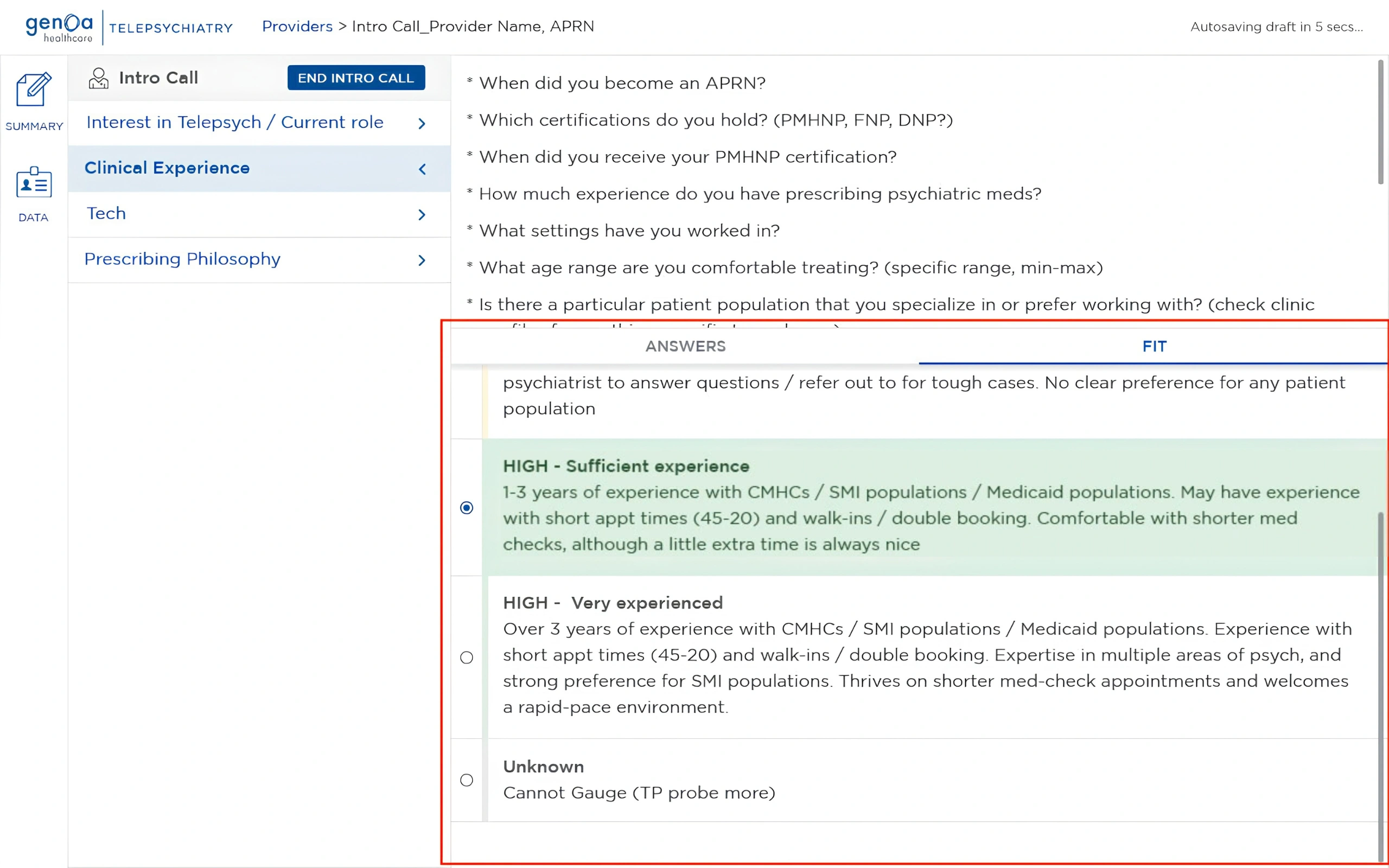
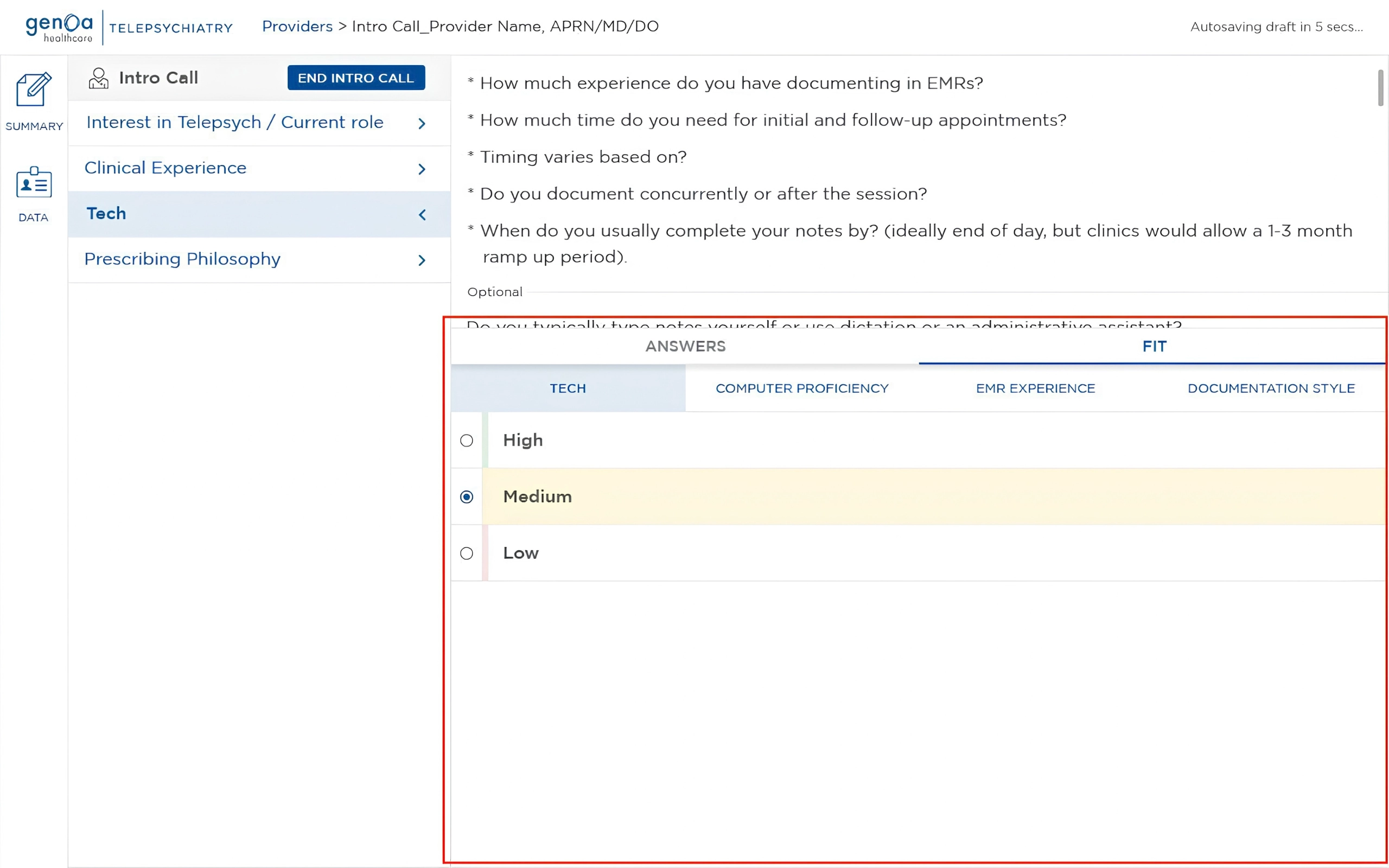
Guided Evaluation

Evaluation criteria were integrated directly into the workflow instead of requiring Talent Sourcers to rely on separate references or mental calculations.

Ranking rubrics provided a consistent framework for assessing responses against defined criteria, making the evaluation process more structured and repeatable.

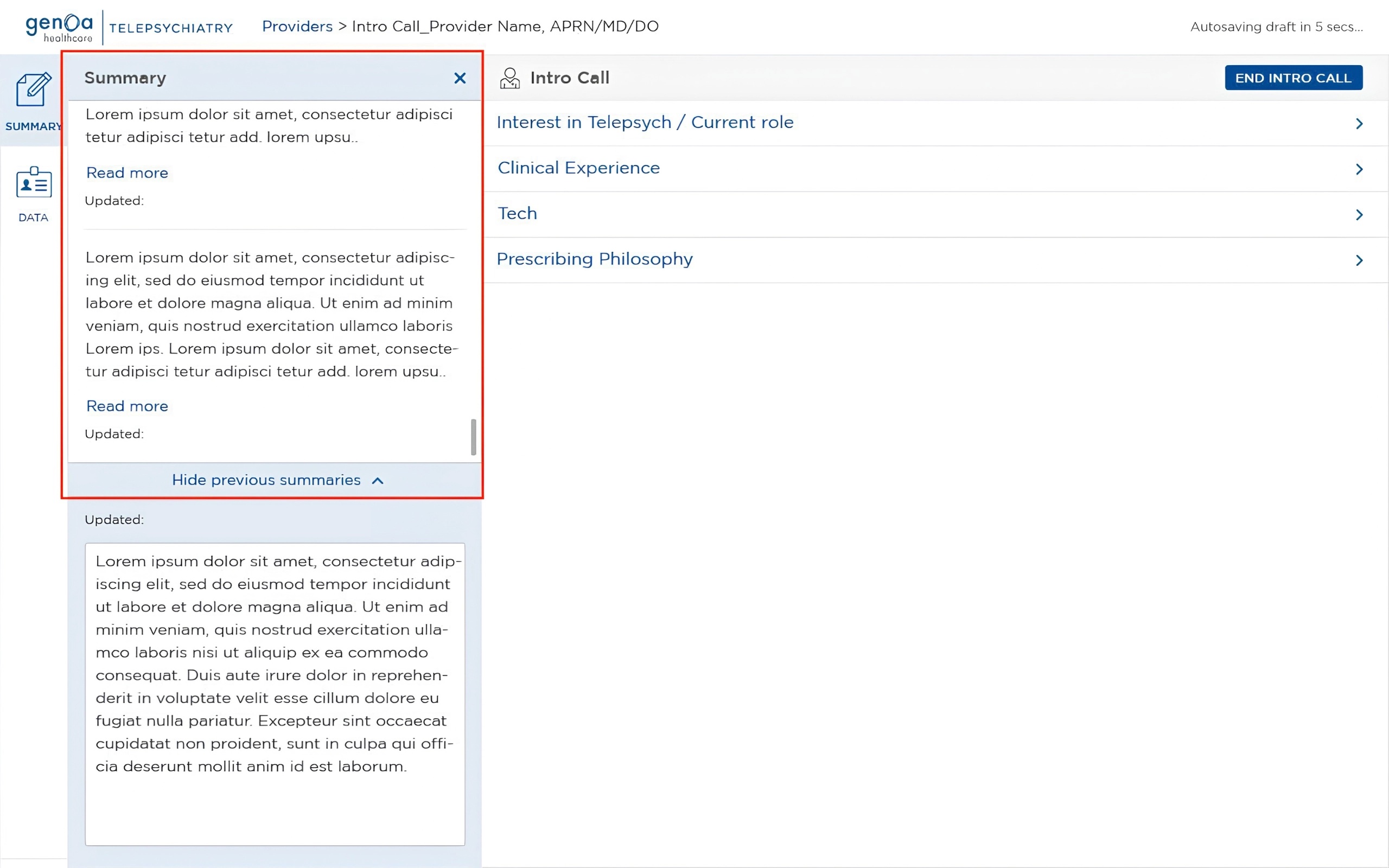
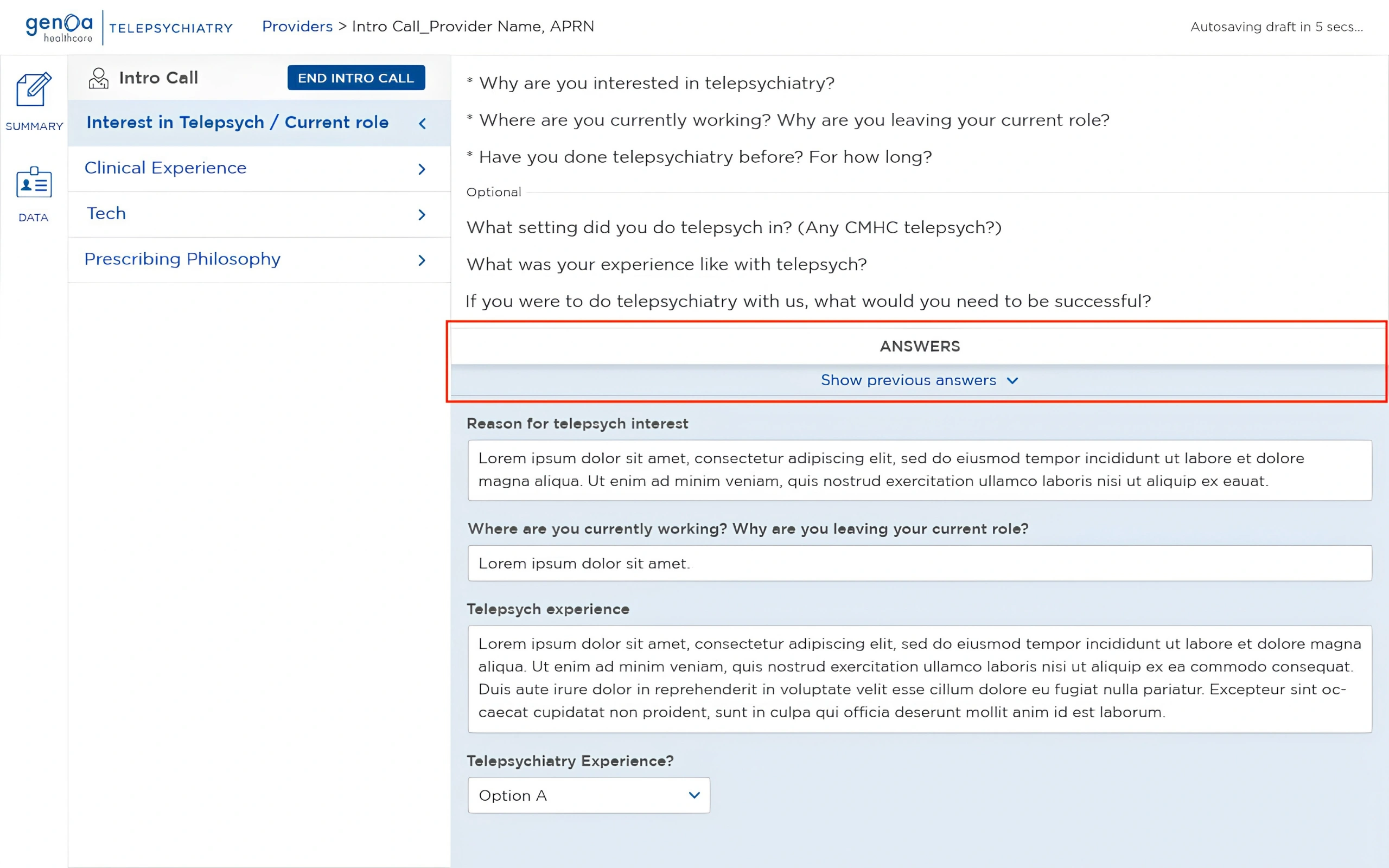
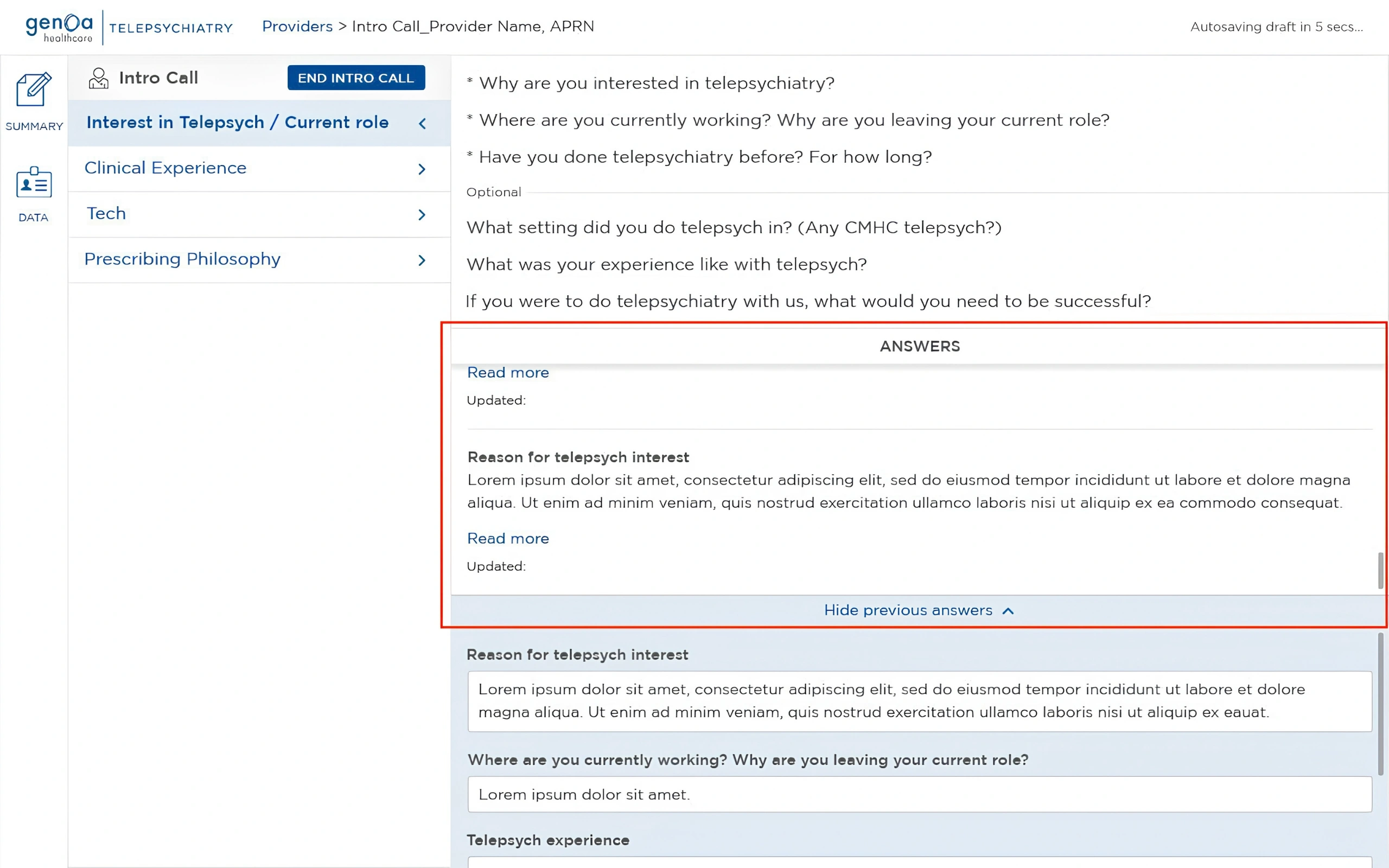
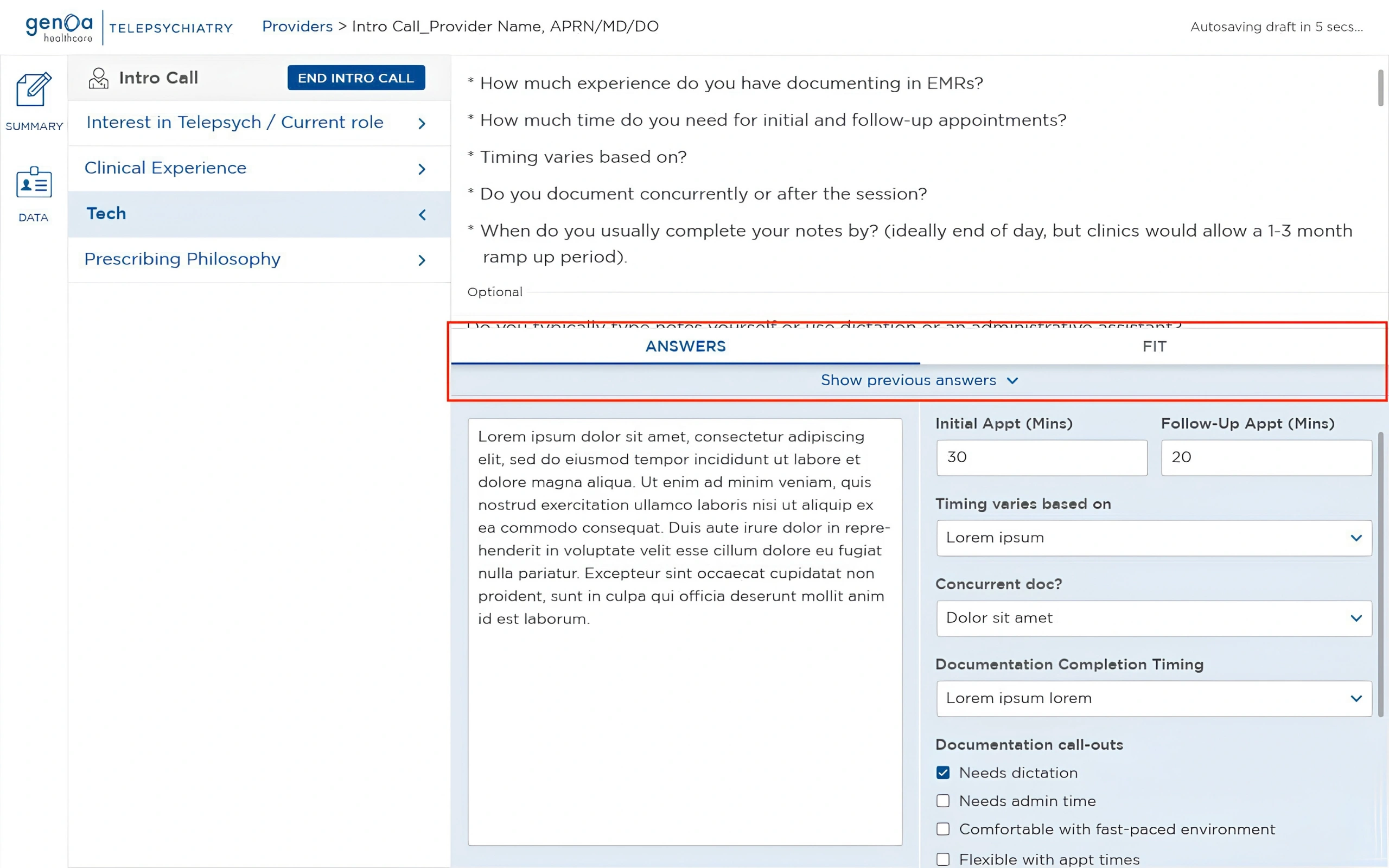
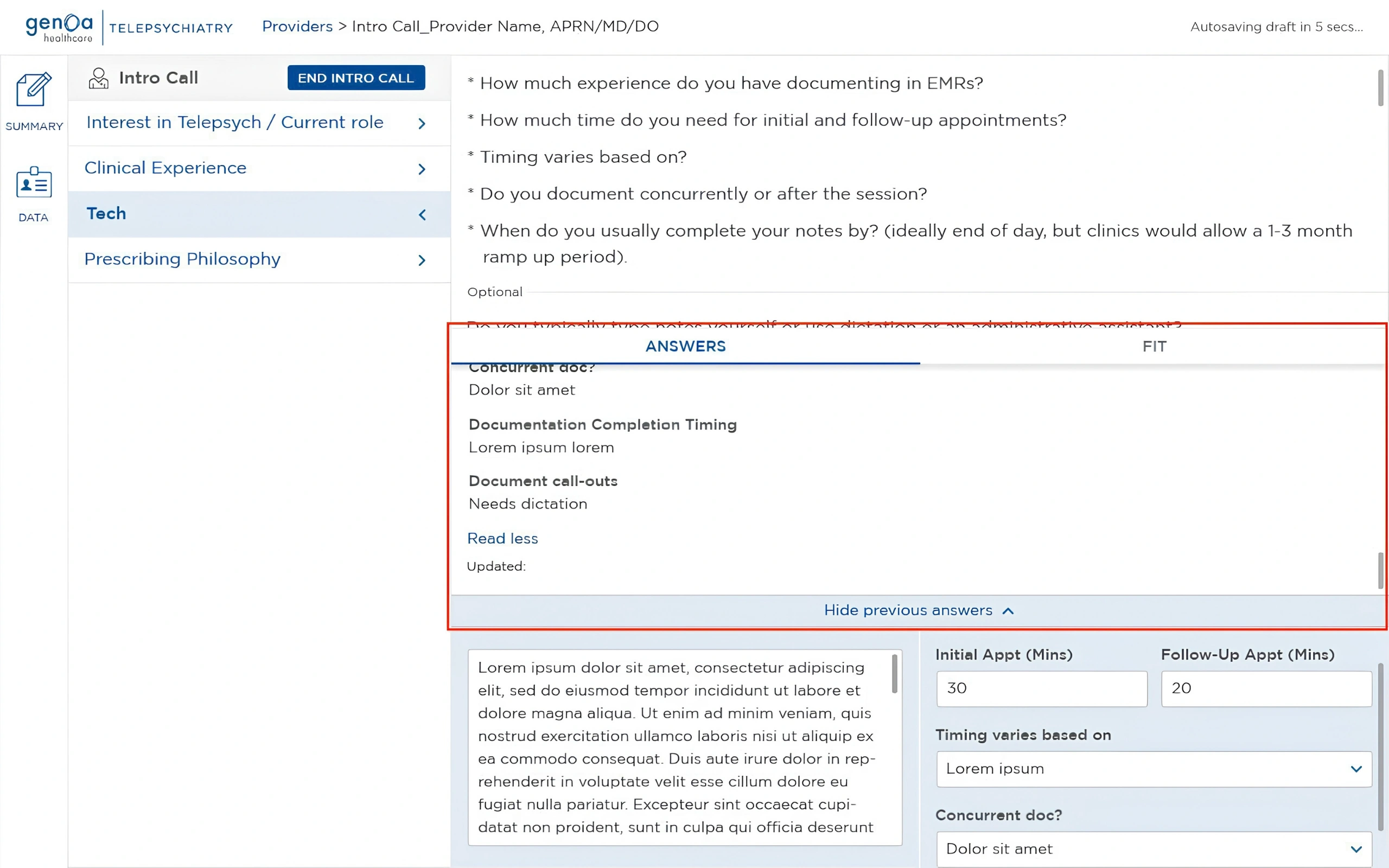
Previous Answers

The workflow preserved historical responses so Talent Sourcers could reference information captured during previous interactions with the provider.

The Previous Answers menu appeared only when historical records existed, keeping the interface uncluttered when there was nothing to show. When available, previous responses could be expanded to review the recorded information and its update history.

This preserved the provider's historical context while allowing Talent Sourcers to build on existing information without overwriting or losing previous records.

Flexible Workspace

The workspace used multiple panels and collapsible sections to allow Talent Sourcers to move between information without losing context.

This allowed different types of information to remain accessible while keeping the active part of the workflow focused, helping balance information density with the needs of a live conversation.

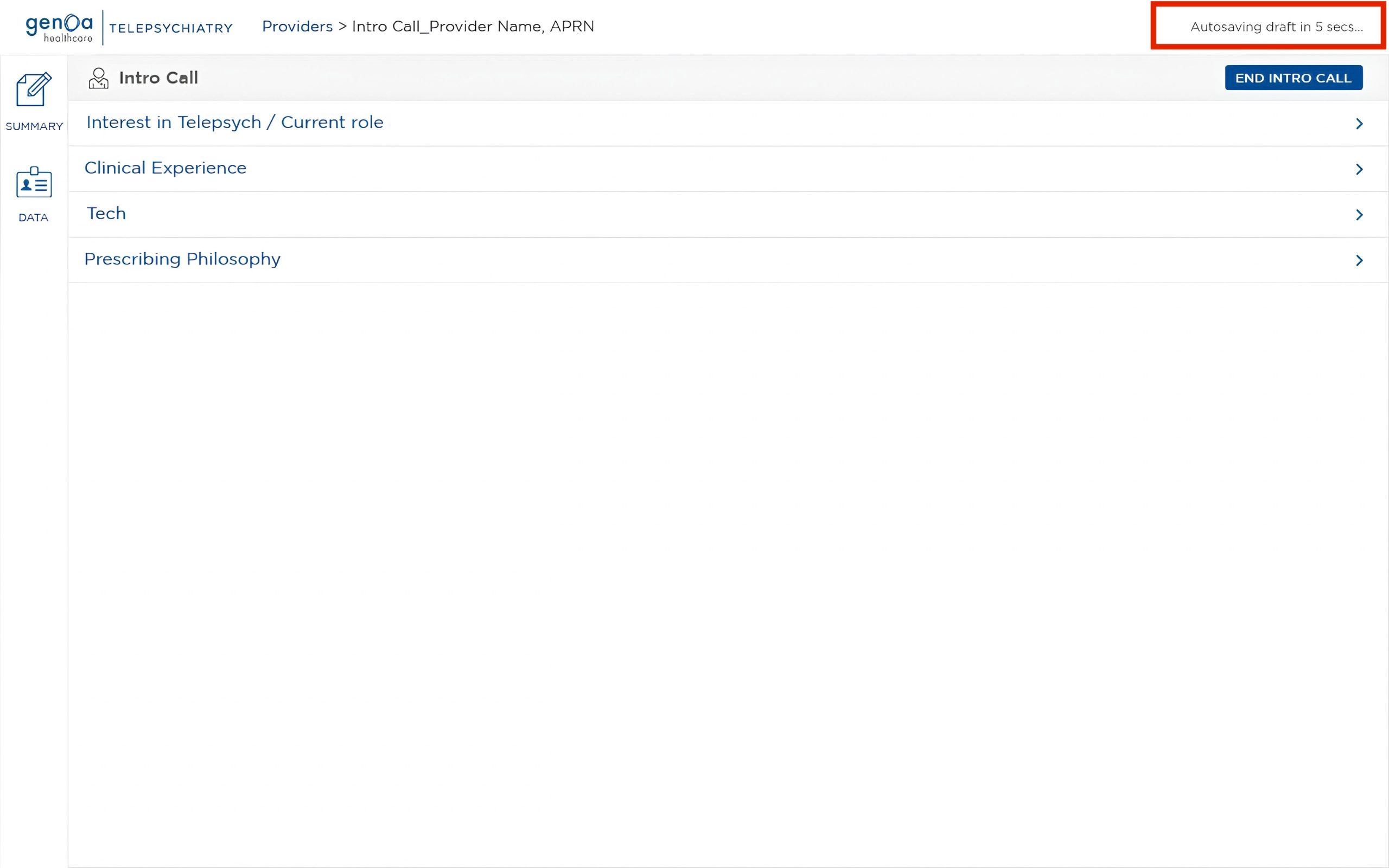
Autosaving

Autosaving automatically preserved progress throughout the workflow.

This meant Talent Sourcers didn't need to manually save their work as they moved through the evaluation, reducing the risk of losing information during a live call.

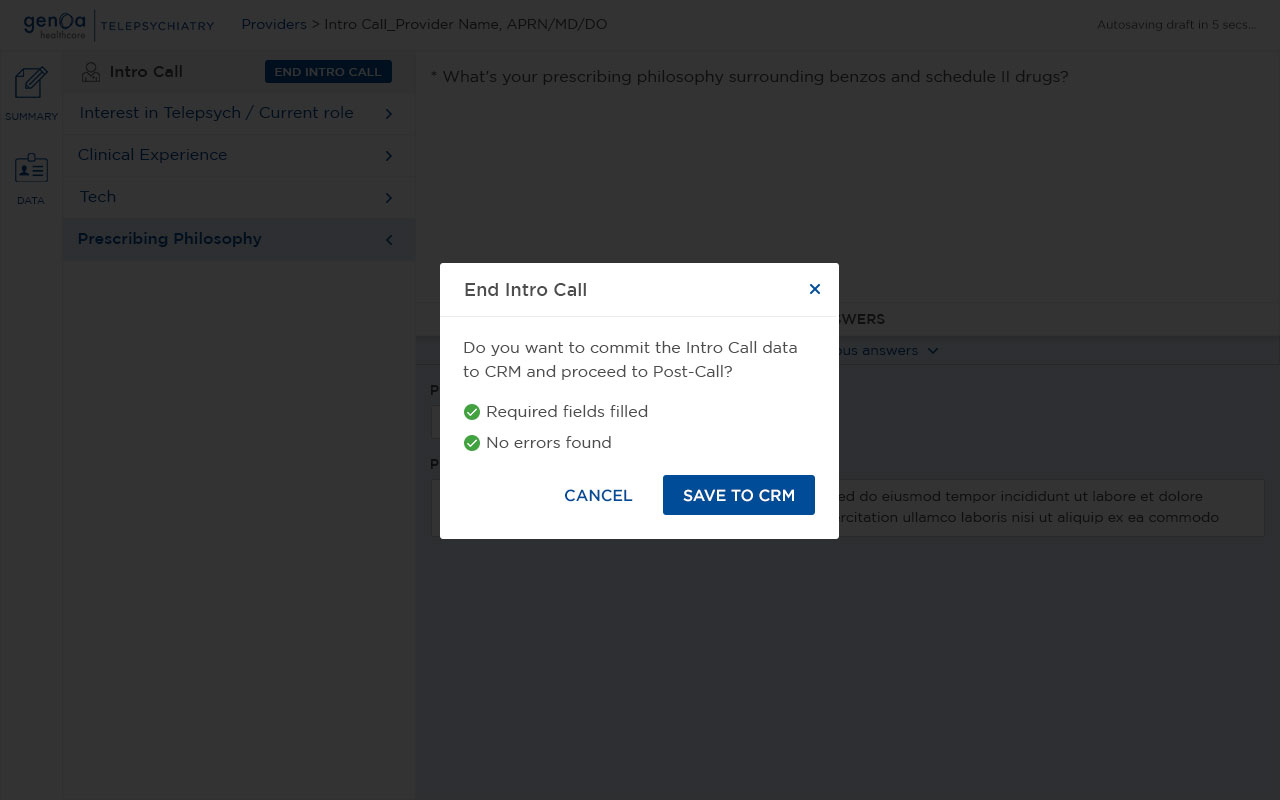
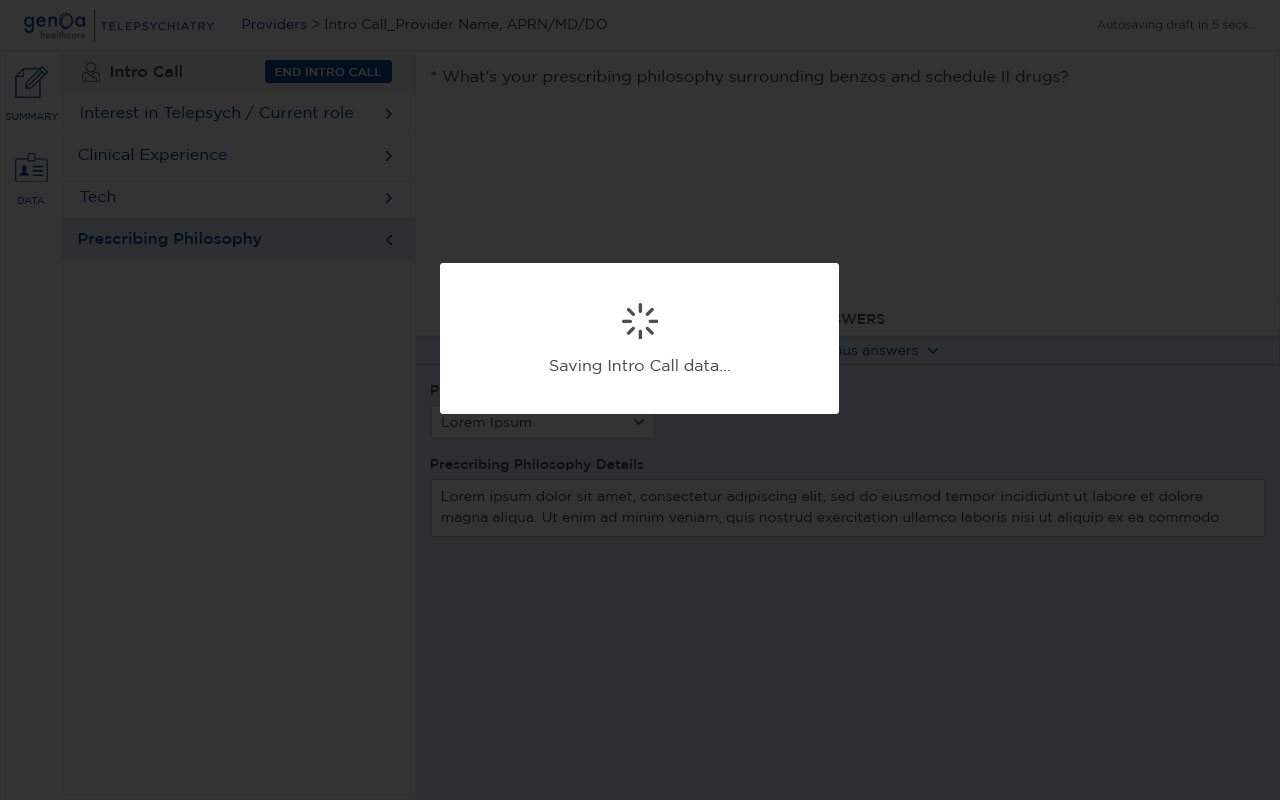
Saving the Intro Call to CRM

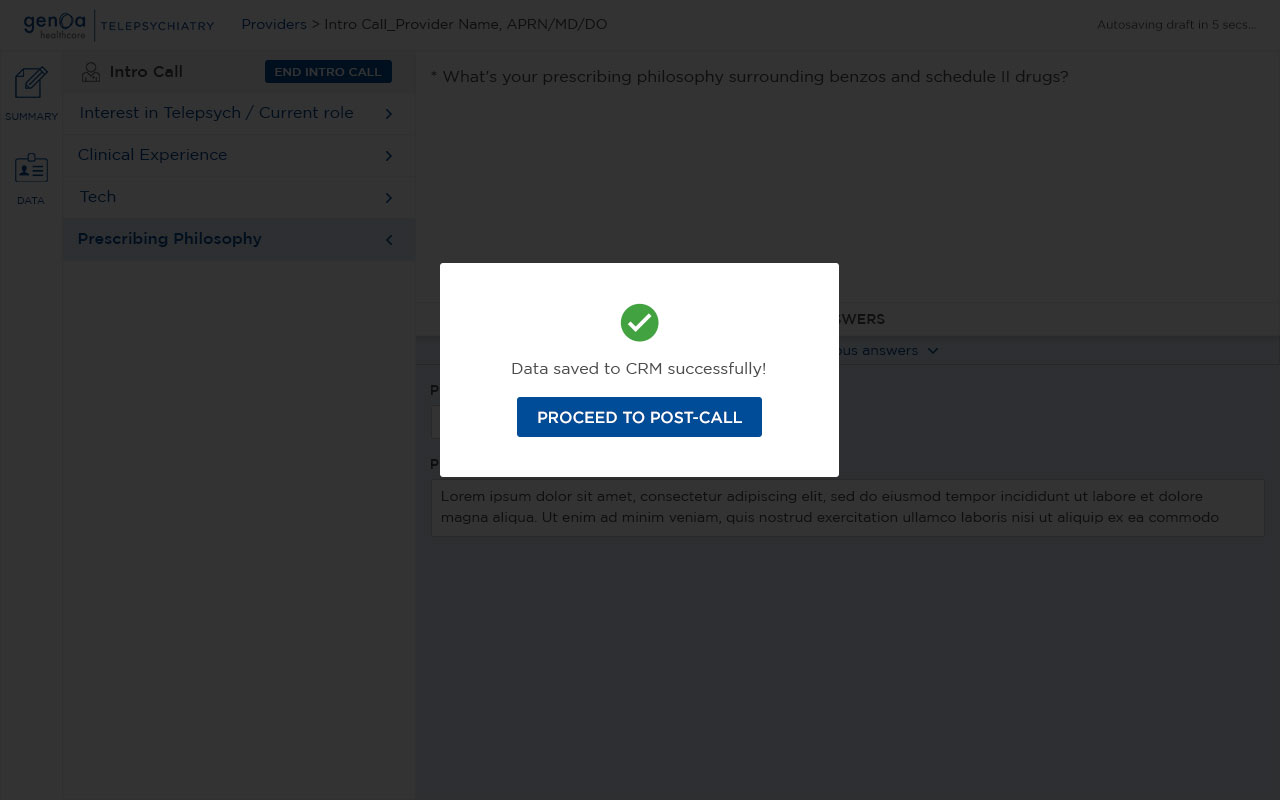
At the end of the Intro Call stage, the captured information could be committed to Microsoft Dynamics CRM.

This replaced the previous process of manually transferring information field by field after completing the full evaluation, eliminating a major source of repetitive administrative work.

Iterative Release

The Intro Call experience was released first, allowing the team to use the new workflow in practice and surface early feedback.

Rather than designing and releasing the entire experience as one large release, the Post-Call experience was developed afterward, allowing learnings from the initial release to inform the next stage of the workflow.

This iterative approach helped us refine the experience based on real-world usage before extending the new workflow into Post-Call.

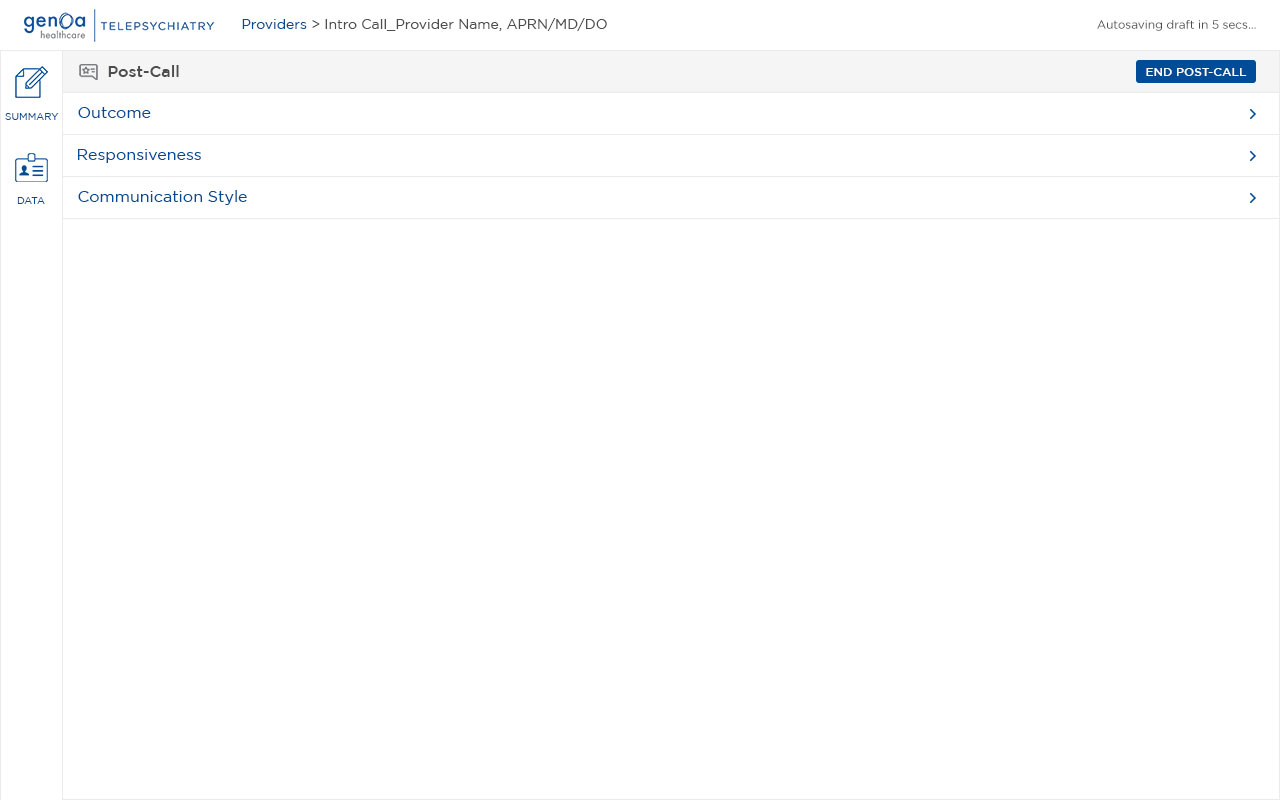
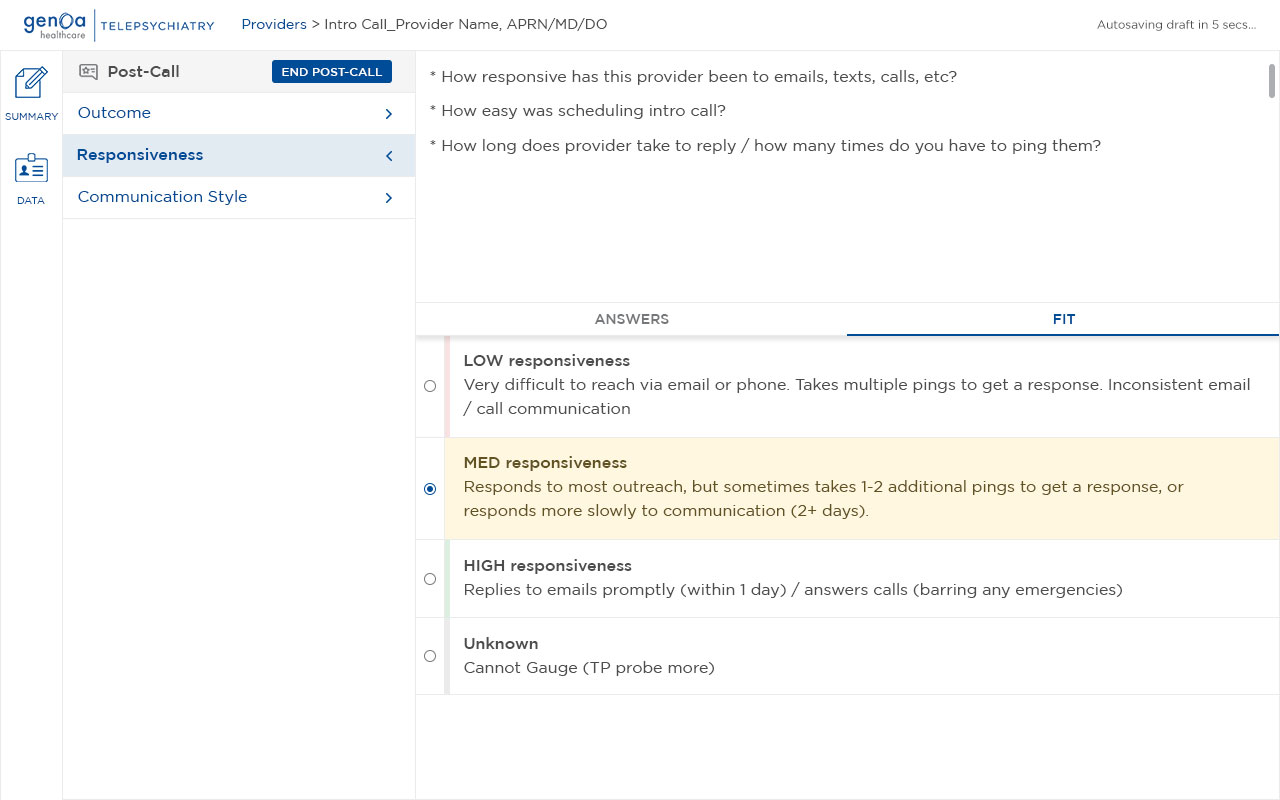
Post-Call Evaluation

The Post-Call stage was designed using learnings from the initial Intro Call release.

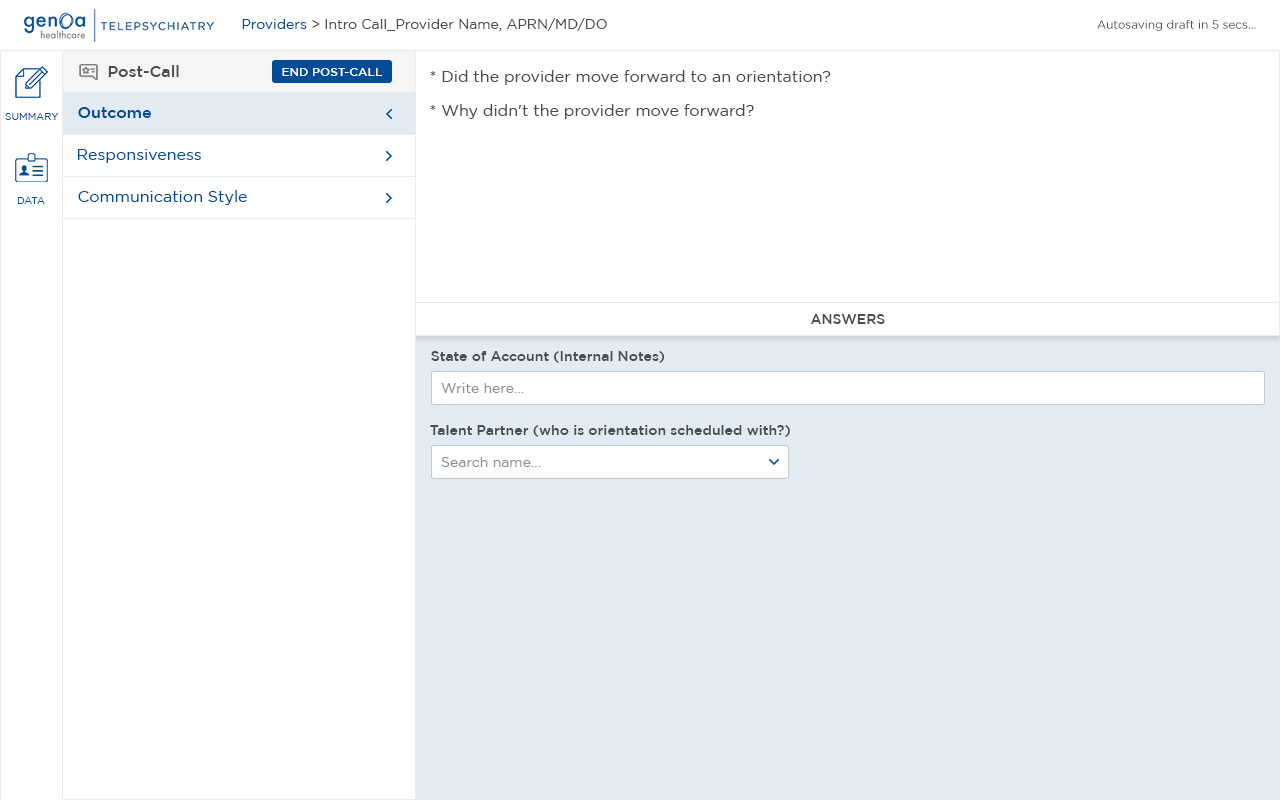
It provided a structured space for completing the remaining evaluation and contained three categories with question prompts, answer fields, and ranking rubrics for selected criteria.

Using the same structured approach across both stages created a more consistent experience and avoided introducing another disconnected workflow after the call.

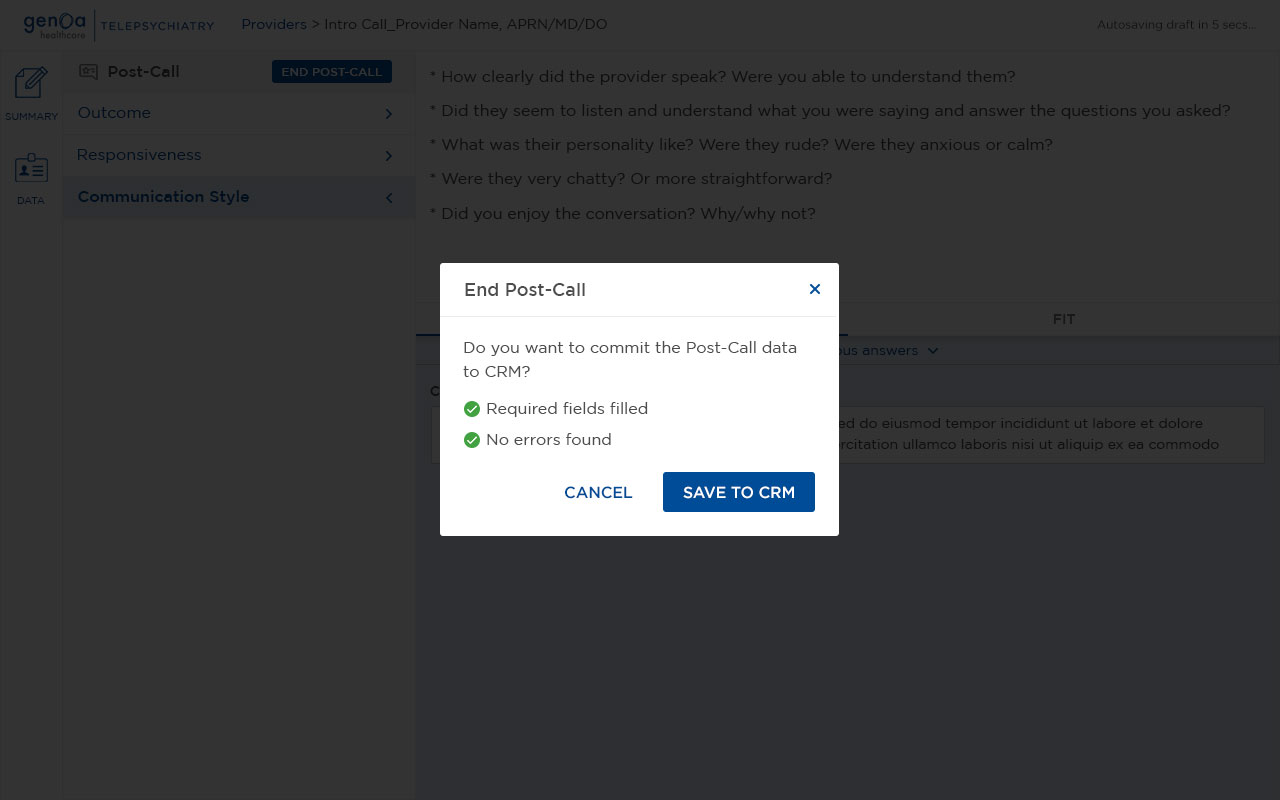
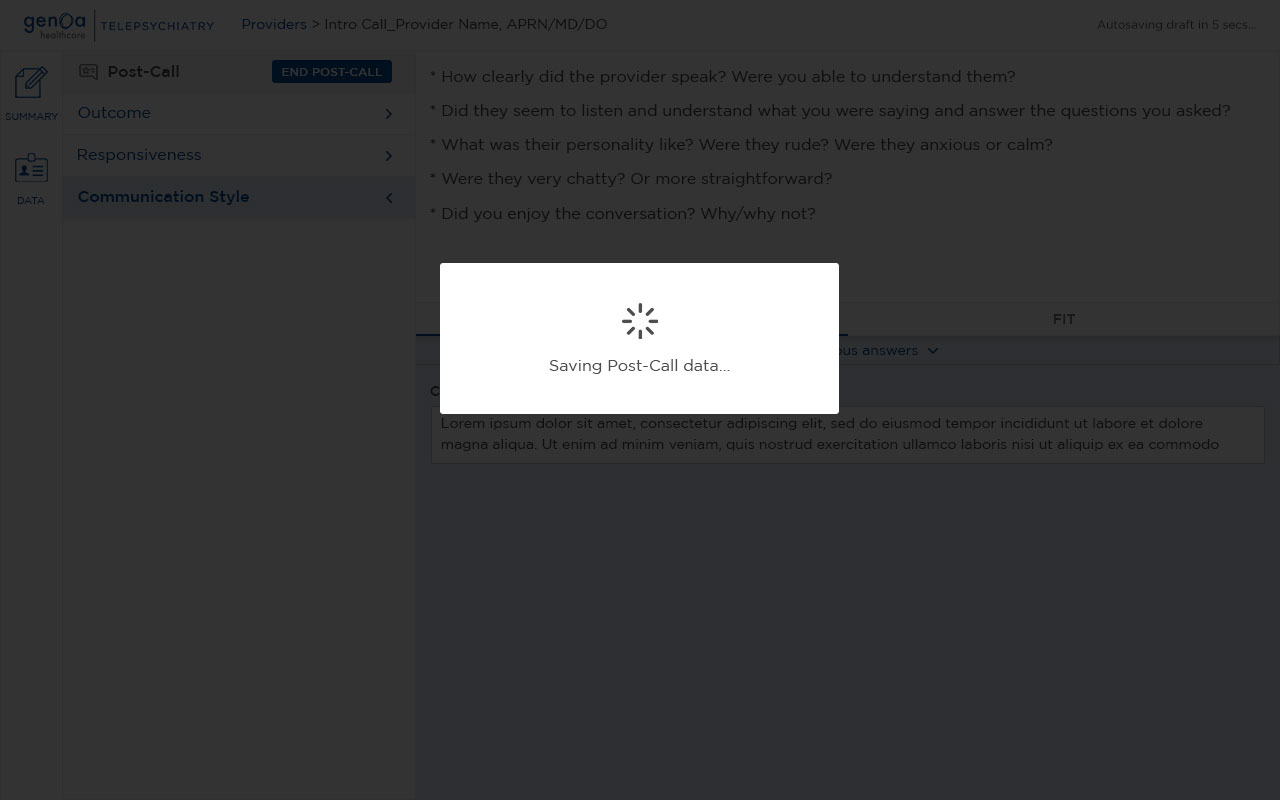
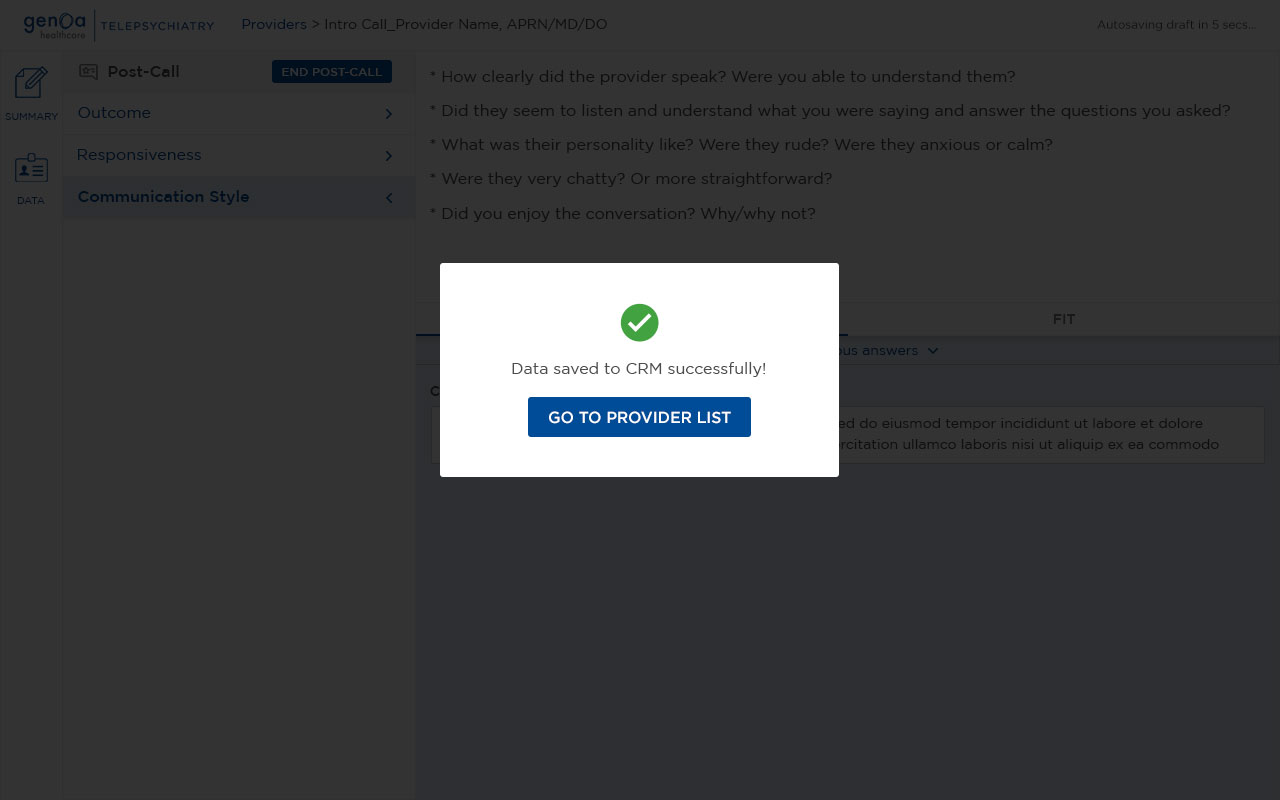
Saving Post-Call to CRM

Once the Post-Call evaluation was complete, its information could be committed to the CRM as the second stage of the workflow.

This created a clear separation between automatically preserving work throughout the process and formally committing completed information to the CRM, while removing the need to manually re-enter the information into CRM fields.

Outcome

The redesigned workflow reduced the time and administrative effort required to evaluate providers.

Faster Evaluation

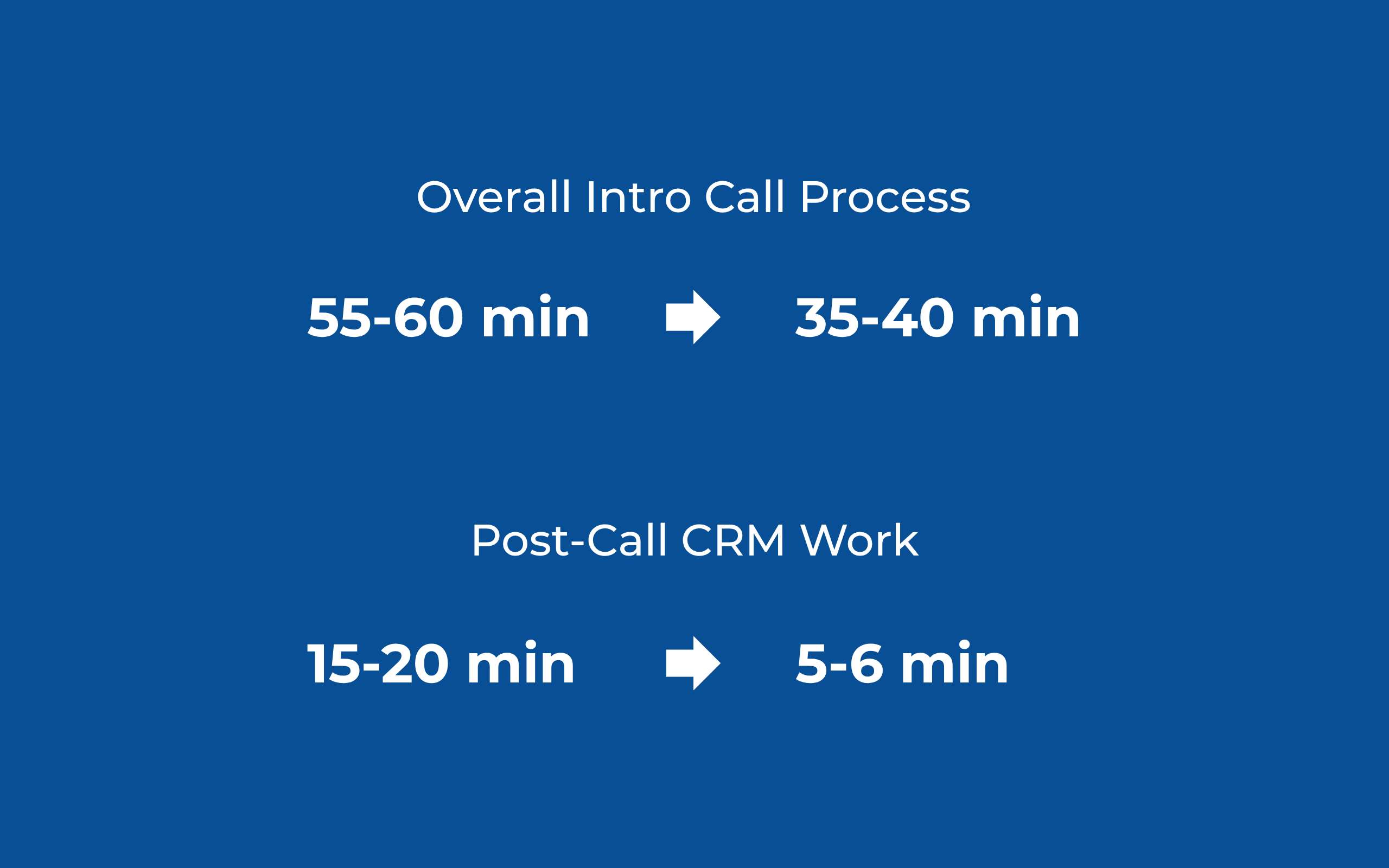
The overall Intro Call process was reduced from approximately one hour to 35–40 minutes.
55-60 min → 35-40 min
The new workflow brought the required information and evaluation steps into a single workspace, while autosaving preserved work throughout the process and staged CRM saving eliminated repetitive data entry.

Faster Post-Call CRM Work

Post-Call CRM work was reduced from approximately 15–20 minutes to 5–6 minutes, based on feedback from a Talent Sourcer after launch.
15–20 min → 5–6 min
The original business case also estimated approximately 15 minutes of time saved per Intro Call by eliminating the manual transfer of information into Microsoft Dynamics CRM.

FTE Impact

FTE savings were an explicit product priority during development.

The time saved through the redesigned workflow meant the existing team could handle more work without requiring an additional full-time resource, creating a direct opportunity for FTE cost savings.

User Feedback

The impact was also validated directly by the Talent Sourcer team after launch.

One Talent Sourcer reported:
“Post call steps on CRM used to take about 15-20 minutes, and now it's only 5-6 minutes.”

They also described the Intro Call Note as saving the team time and improving motivation.

A broader team message highlighted that a subsequent release would save Sourcers even more time by reducing duplicate CRM entry.

Post-Launch Iteration

The first release wasn't the end of the design process.

Post-launch interviews with Talent Sourcers revealed minor usability issues, tweaks, and errors that weren't identified during the initial design and testing process.

These findings were fed back to the product team, and the experience was iterated over the following weeks.

This reinforced the value of treating the product as an evolving workflow rather than a one-time design exercise.

Reflection

This project reinforced that inefficiency in a mandatory workflow doesn't always appear as obvious drop-off. It can show up through cognitive load, workarounds, inconsistent usage, and unnecessary administrative effort.

The most valuable part of the project was understanding that the problem wasn't simply a collection of inefficient screens. The workflow itself needed to be reconsidered.

‍
By studying how Talent Sourcers actually worked, defining the requirements and information architecture, validating features through Job Stories, and iterating through sketches, wireframes, and real-world releases, I was able to design a workflow that better matched the way the team conducted provider evaluations.

What I Would Explore Next

If the workflow were to continue evolving, I would explore:
  • Identifying opportunities to surface relevant provider information at the right moment
  • Testing whether additional automation could reduce administrative work without removing user control
  • Continuing to use post-launch feedback to refine the evaluation experience

Let's work together

Feel free to drop me a message.

Thank you! Your submission has been received!
Oops! Something went wrong while submitting the form.